
Description
See it in action
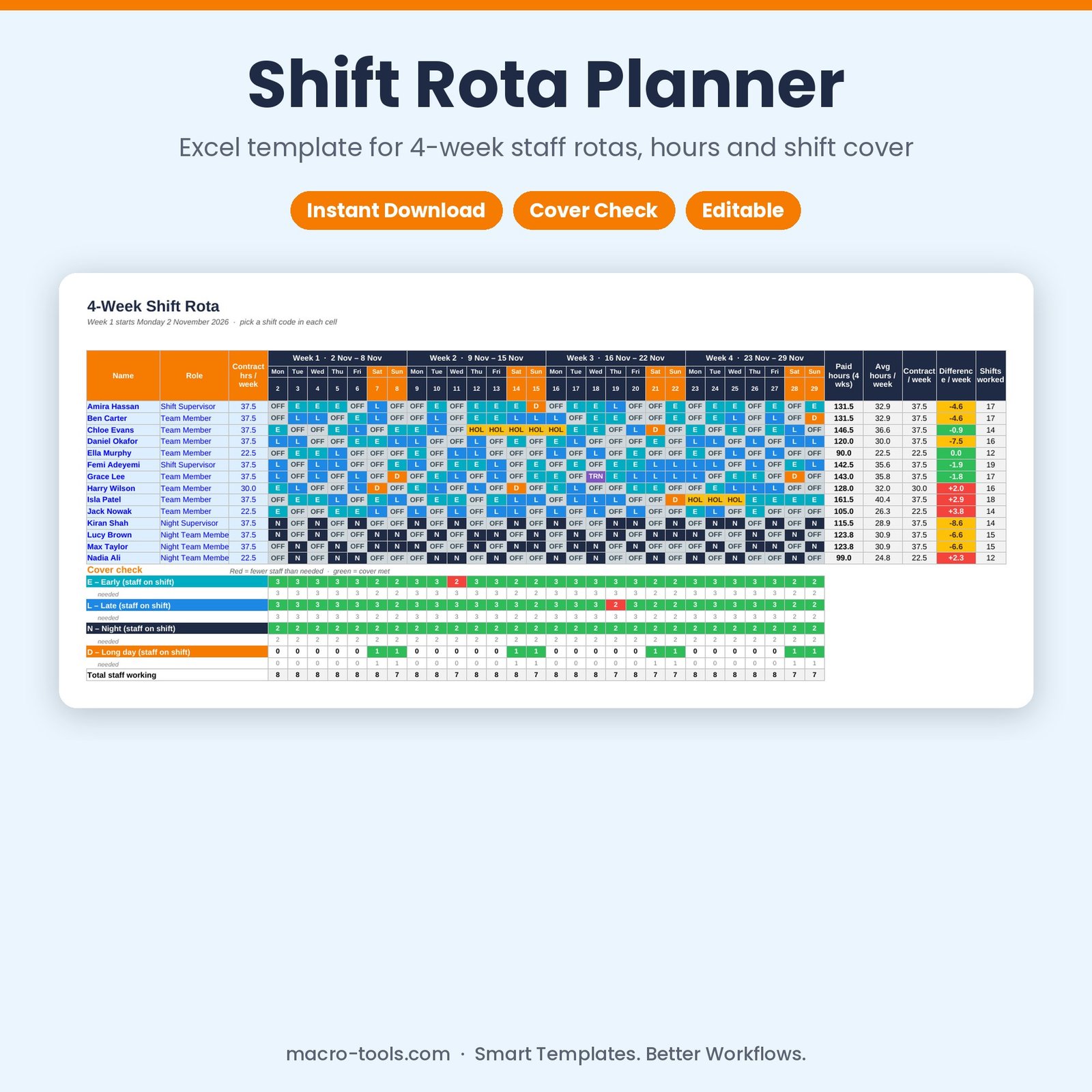
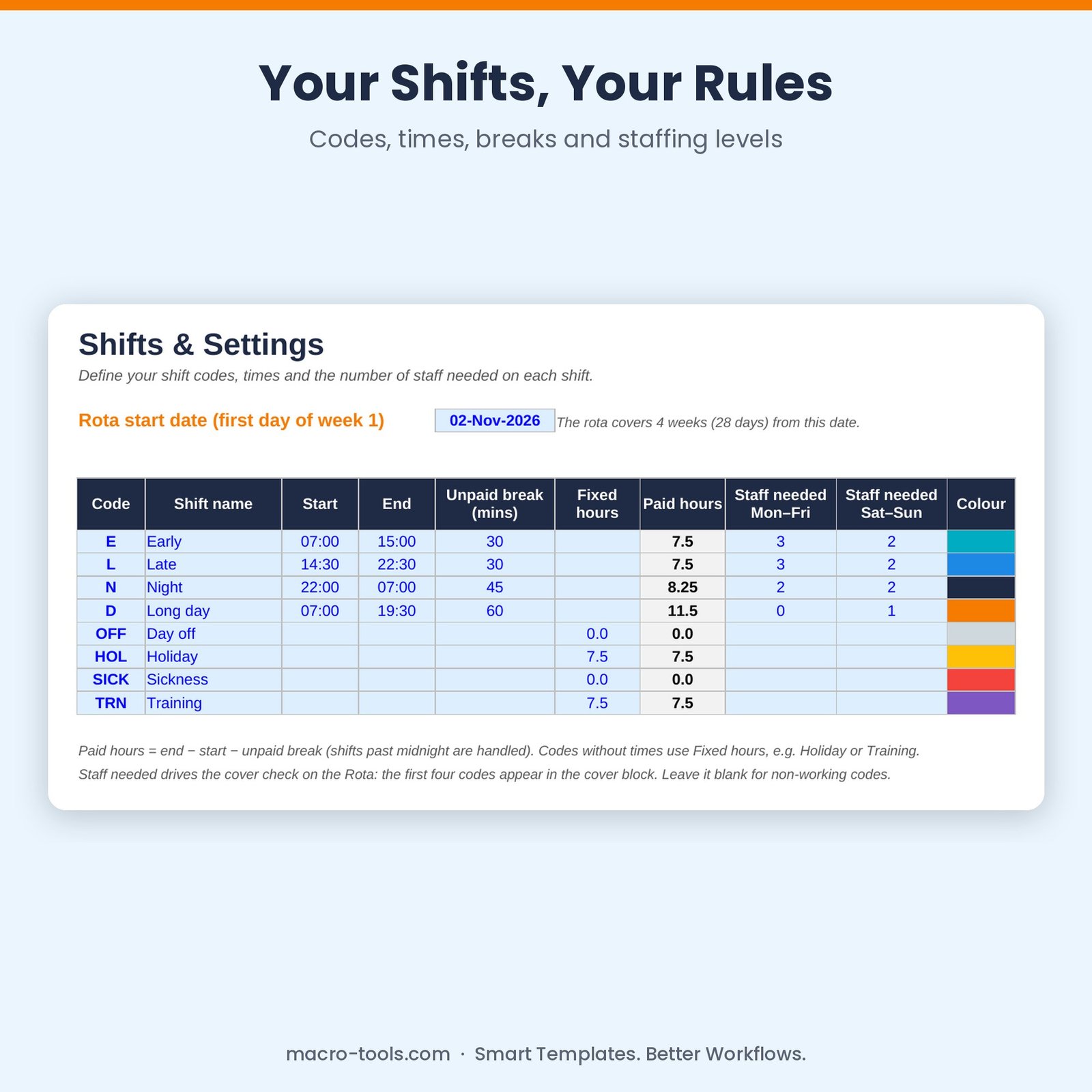
Build your staff rota in minutes. Define your shifts once — early, late, night, long day, holiday, training — with times, unpaid breaks and how many staff each shift needs. Then pick a code for each person and day. The rota colour-codes every shift, adds up paid hours against contracts, and checks cover every day so you can see gaps before they happen.
What it does
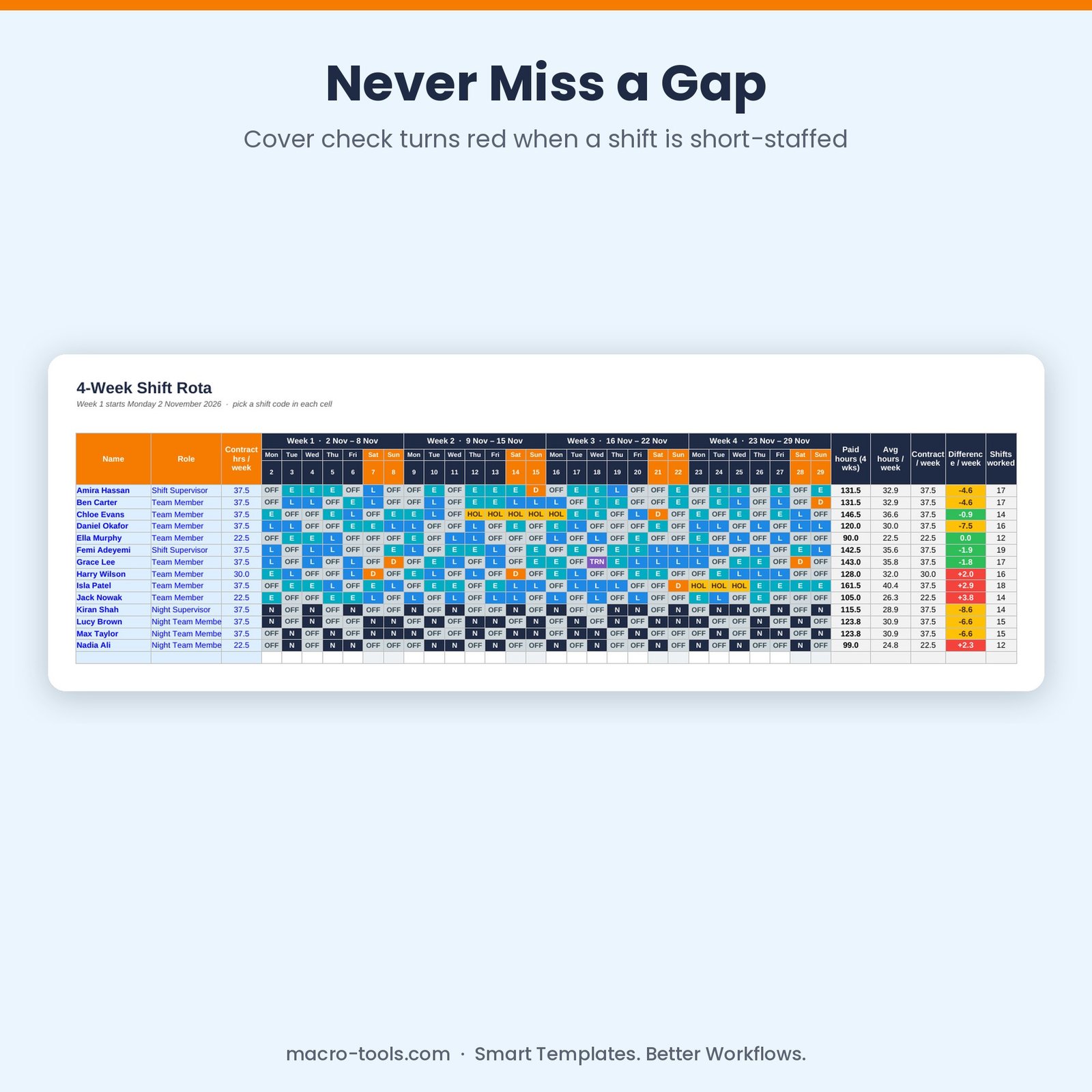
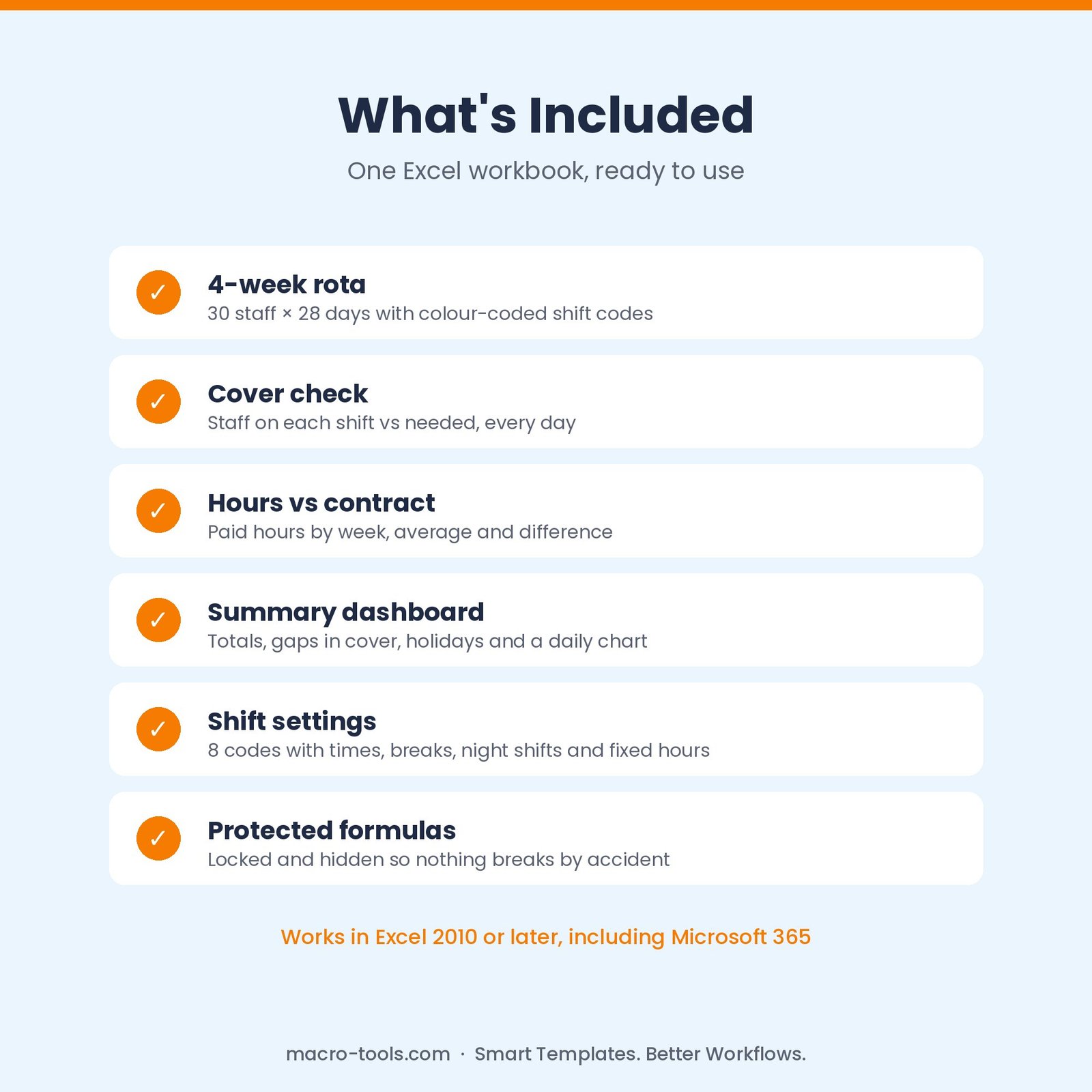
- 4-week rota grid – 30 staff × 28 days with dropdown shift codes, colour coding and weekend shading
- Paid hours calculated – from start and end times minus unpaid breaks, including night shifts that end the next morning
- Cover check – staff on each shift every day against the number needed, red when short and green when covered
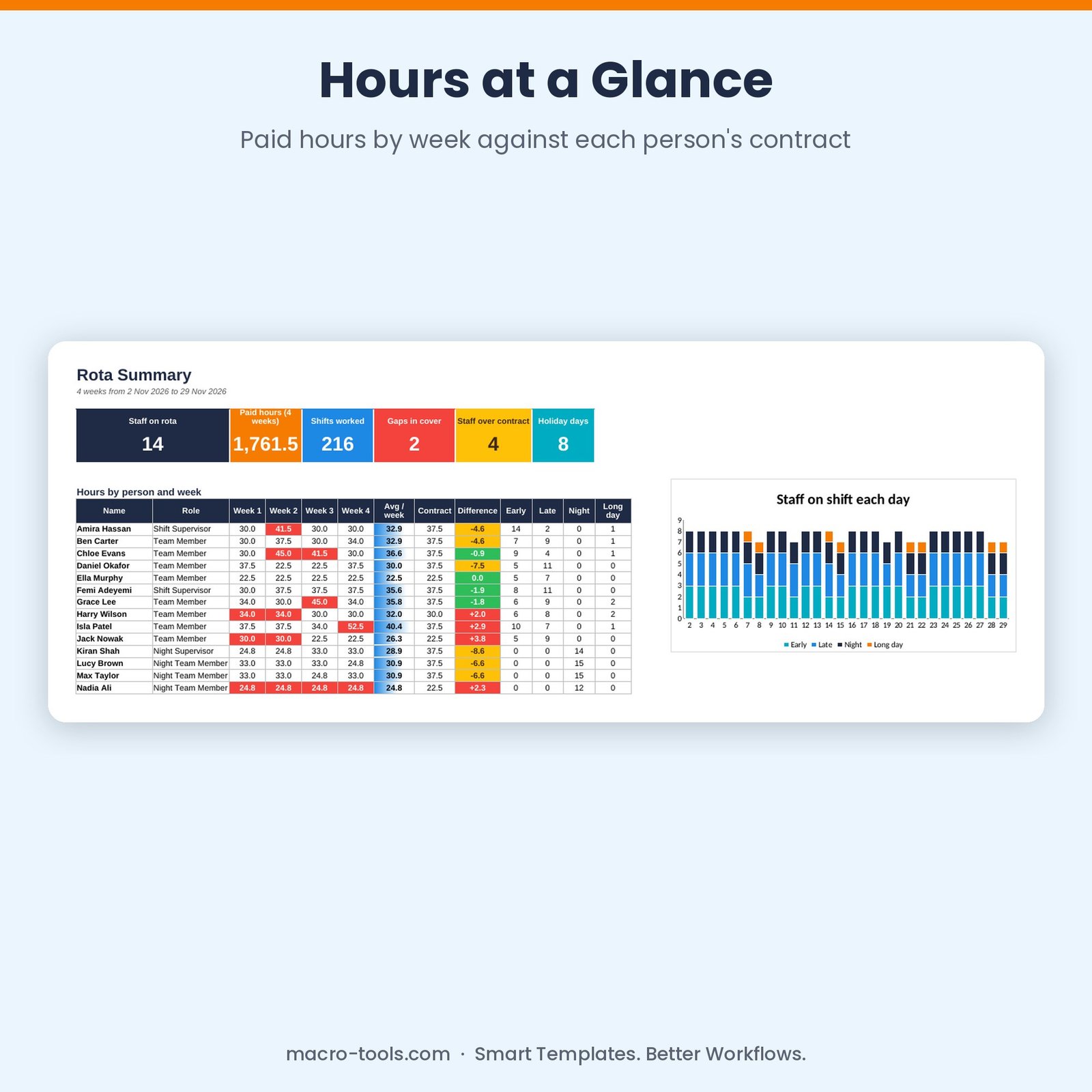
- Hours vs contract – paid hours per week, average per week and difference from contracted hours for every person
- Summary dashboard – staff on rota, total paid hours, shifts, gaps in cover, staff over contract, holiday days and a daily chart
- Roll forward – change the start date and all dates, day names and week headings update
- Protected formulas – calculations are locked and hidden so nothing breaks by accident
Who it’s for
Care homes, retail, hospitality, warehouses, healthcare and contact centres — anyone scheduling shift workers.
What’s included
- 1 Excel workbook (.xlsx): How to Use, Summary, Rota and Shifts & Settings
- 8 ready-made shift codes and a sample 14-person rota
- Built-in How to Use guide and sample data you can clear in one step
Requirements
Microsoft Excel 2010 or later, including Excel 2019, 2021 and Microsoft 365 (Windows or Mac). Not designed for Google Sheets.
This is a digital download. No physical item will be shipped. Your file is available to download immediately after purchase.
Reviews
There are no reviews yet.