


Description
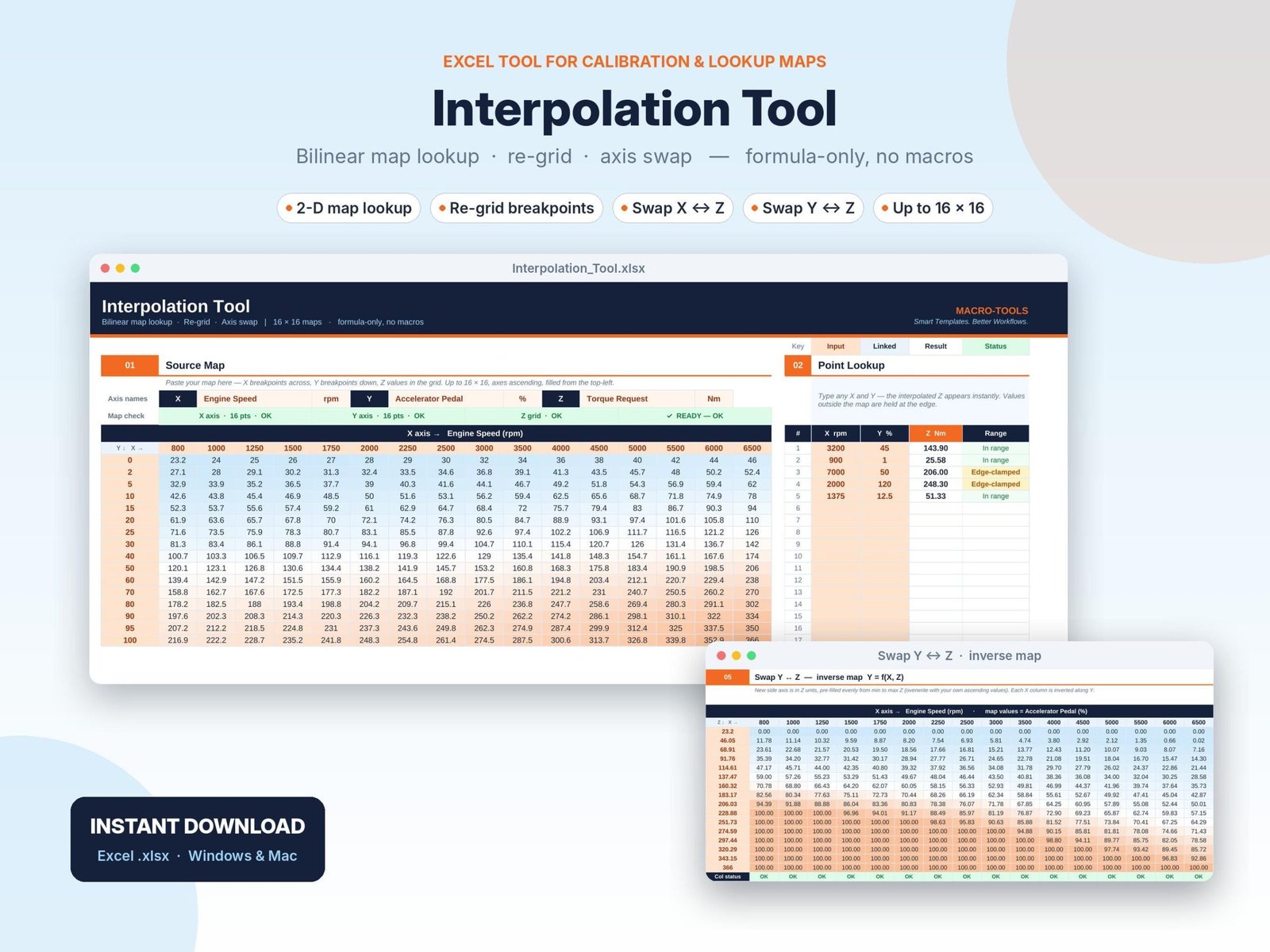
Read any 2D map at any point, re-grid it onto new breakpoints, or invert it, all in one Excel sheet with no macros.
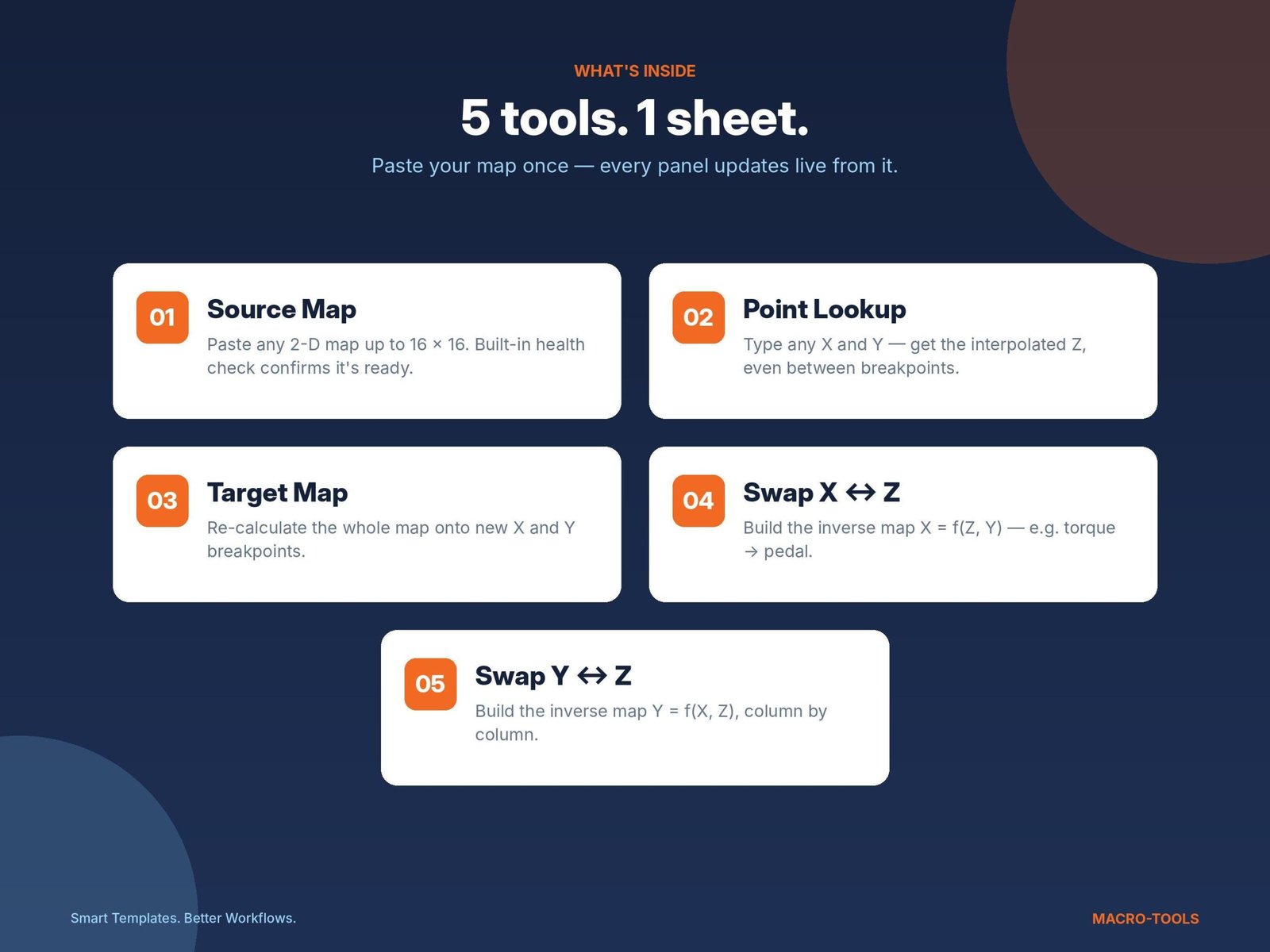
The Interpolation Tool is built for engineers, calibrators, students and anyone who works with 2D lookup tables (maps). Paste your map once and five panels update live:
What’s inside
01 · SOURCE MAP
Paste any map up to 16 × 16: an X axis across the top, a Y axis down the side and Z values in the grid. A built-in health check confirms that the axes are ascending and the grid is complete.
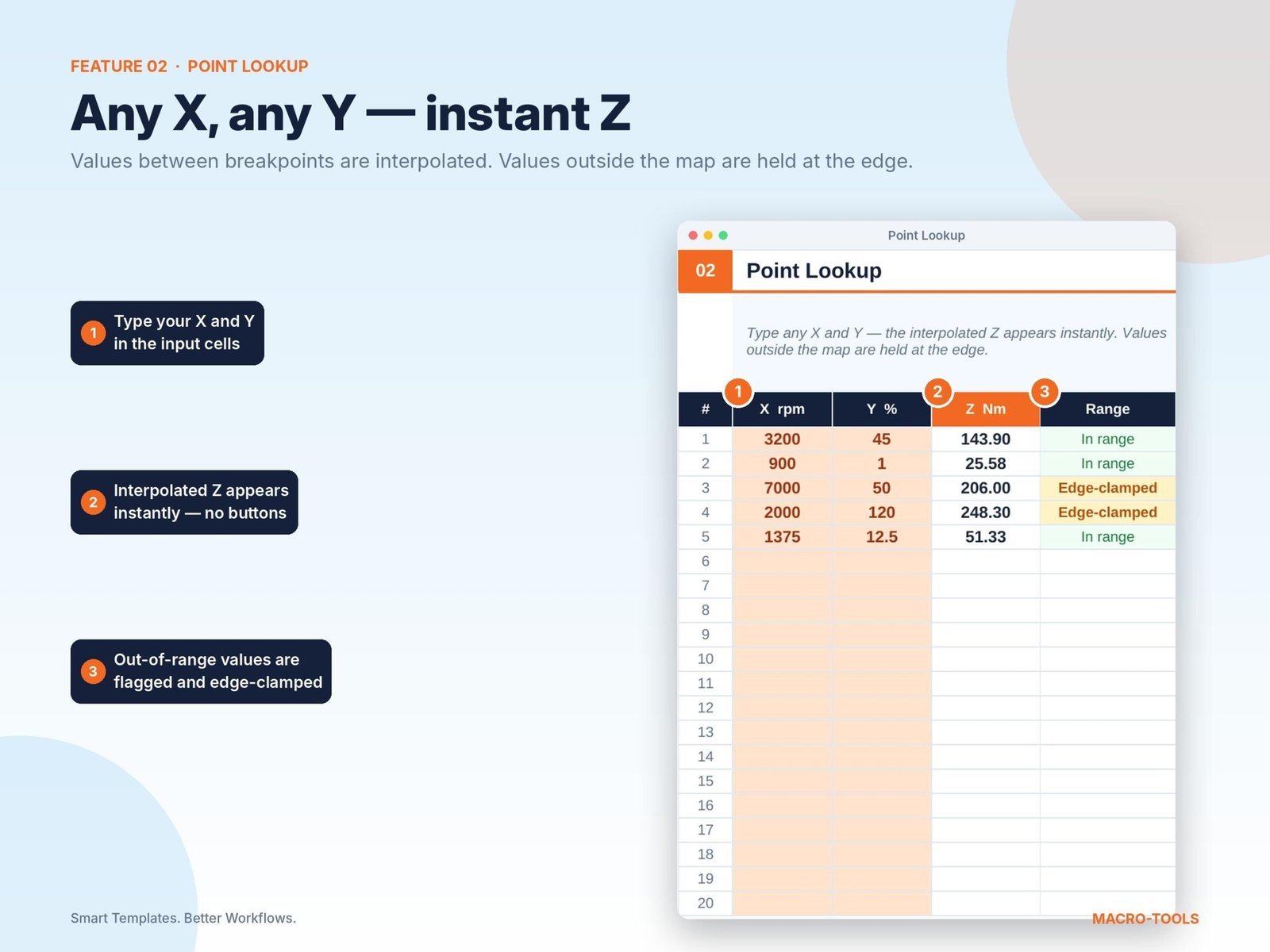
02 · POINT LOOKUP
Type any X and Y value and get the interpolated Z instantly, even when the values fall between breakpoints. Up to 20 points at once. Out-of-range values are held at the map edge and flagged.
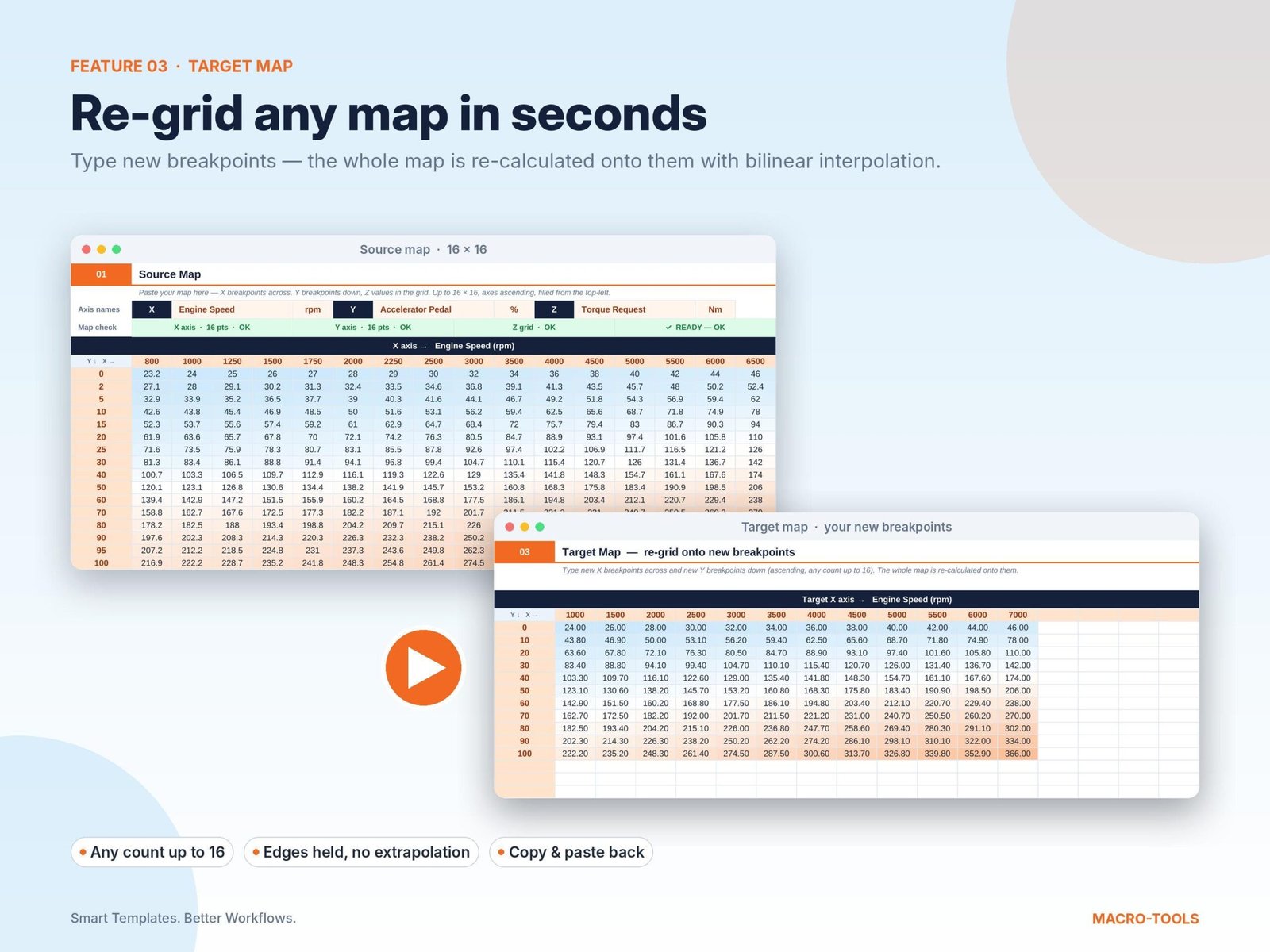
03 · TARGET MAP (RE-GRID)
Type new X and Y breakpoints and the whole map is recalculated onto them by bilinear interpolation.
04 · SWAP X ↔ Z (INVERSE MAP)
Turn Z = f(X, Y) into X = f(Z, Y), for example a torque map into a pedal map.
05 · SWAP Y ↔ Z (INVERSE MAP)
Turn Z = f(X, Y) into Y = f(X, Z), column by column.
Why you’ll like it
- Formula-only, no macros: no security warnings and no VBA to enable
- Everything on one clean, modern sheet
- Bilinear interpolation, the standard way 2D lookup tables are read
- Edge clamping: values outside the map are held at the edge, never extrapolated
- Automatic checks for axis order, missing values and non-monotonic rows/columns
- Locked and protected: only the input cells are editable, and formulas are hidden so nothing breaks by accident
- Results can be selected and copied straight into your calibration tool or report
- Works with smaller maps too (e.g. 10 × 8); just leave unused cells empty
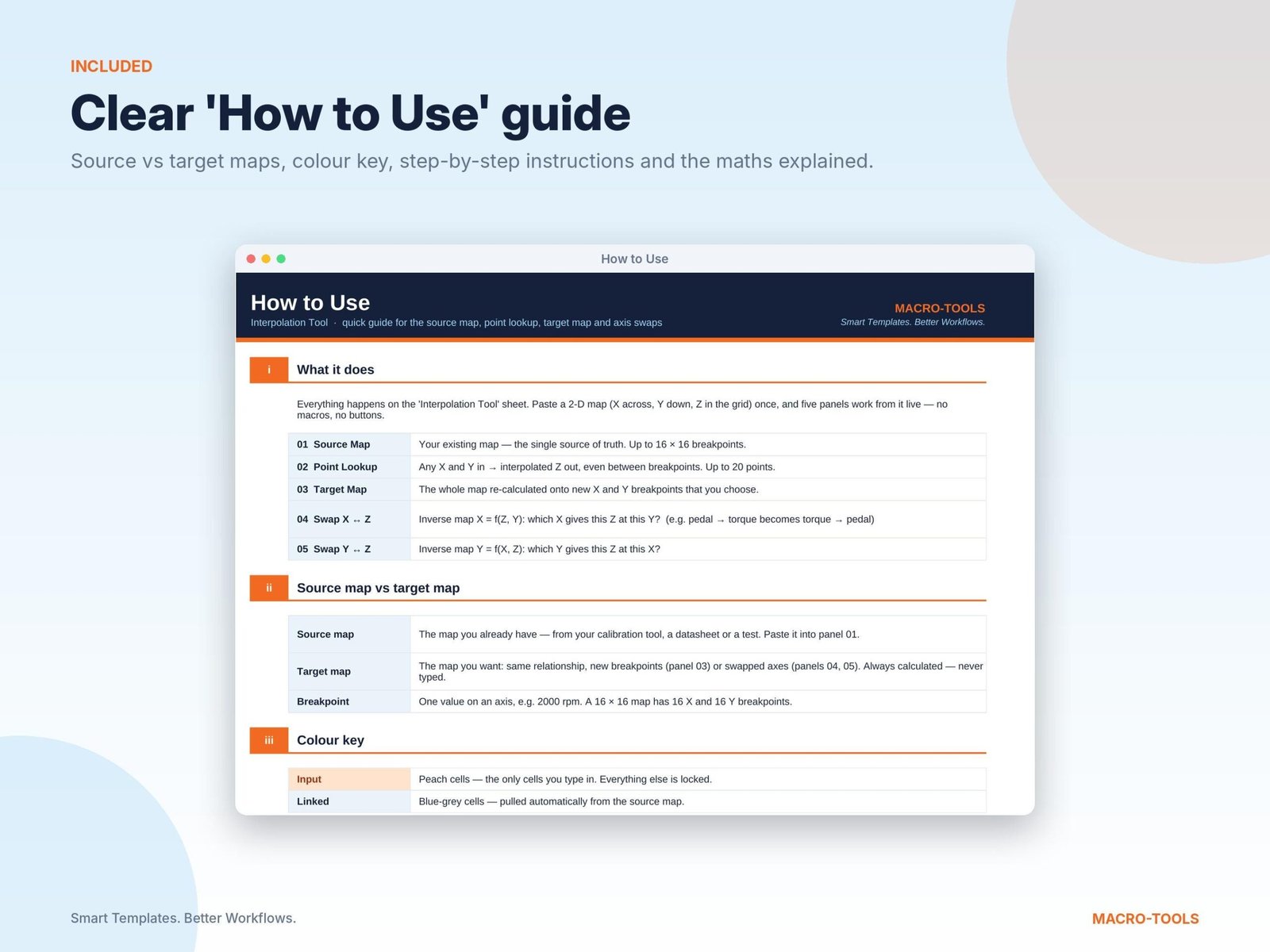
- Includes a “How to Use” tab with a worked example and the maths explained
Great for
- Engine and powertrain calibration (torque, airflow, fuel and ignition maps)
- Converting maps between different breakpoint sets
- Building inverse maps (e.g. torque → pedal)
- Test, lab and performance data tables
- Engineering students learning interpolation
What you get
- 1 × Excel file (.xlsx): Interpolation_Tool.xlsx
- “How to Use” guide tab inside the file
- Sample map pre-loaded so you can see it working straight away
Compatibility
- Microsoft Excel 2010 or later, Microsoft 365, Excel for Mac
- Desktop Excel is recommended. Not tested in Google Sheets, Numbers or Excel mobile apps.
How to get it
- Add it to your basket and check out.
- Download the file from the order confirmation page, your email, or My Account → Downloads.
- Open it in Excel and start with the “How to Use” tab.
Please note
- This is a DIGITAL DOWNLOAD. No physical item will be shipped.
- For personal or single-user professional use. Please don’t resell or share the file.
- Because this is a digital product, refunds are not offered once it has been downloaded. If something isn’t working, contact me and I’ll help.
Questions? Get in touch. I’m happy to help.
Macro-Tools · Smart Templates. Better Workflows.

Reviews
There are no reviews yet.