
Description
See it in action
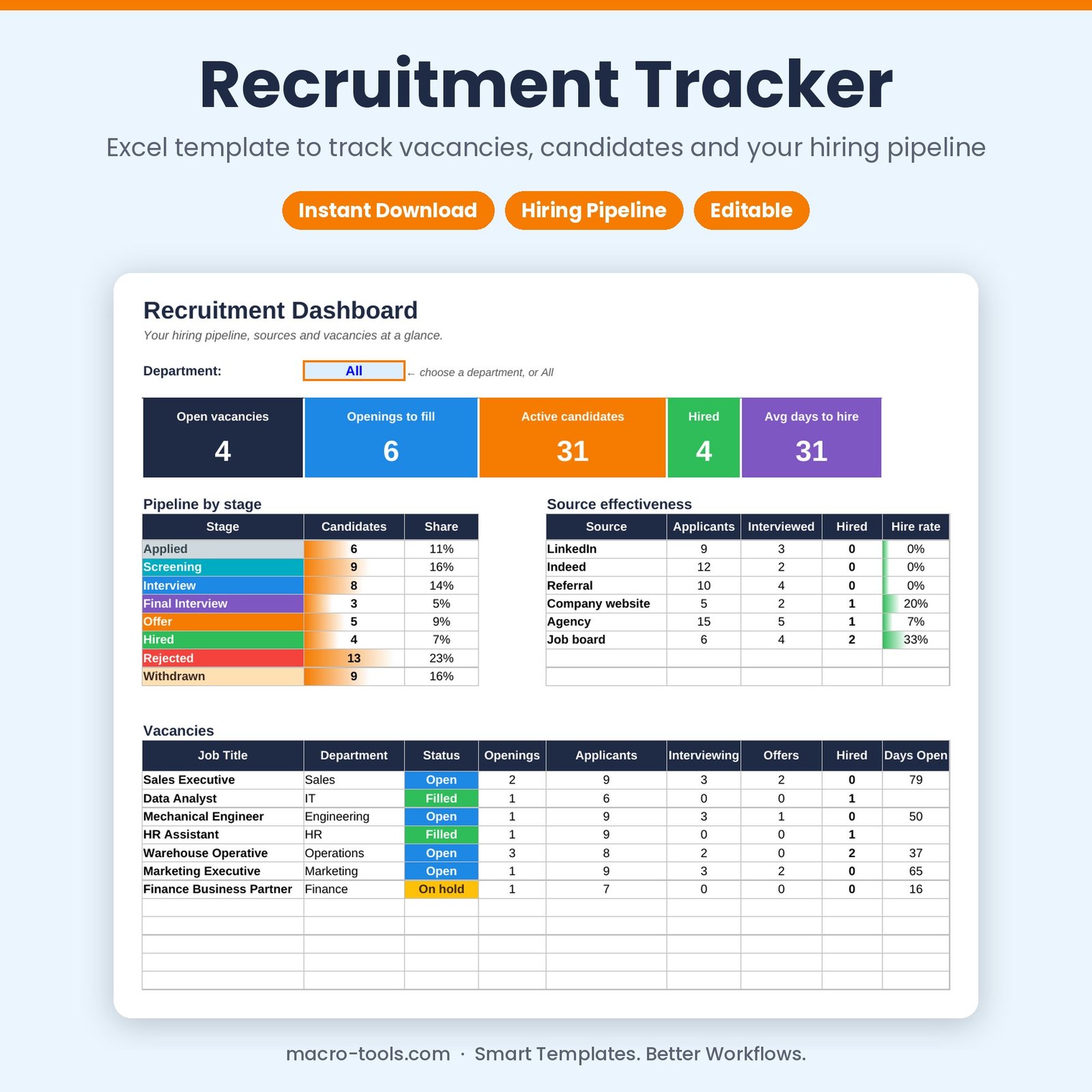
A simple applicant tracking system in Excel. Add your vacancies, log each candidate against a vacancy, and move them through Applied, Screening, Interview, Final Interview, Offer and Hired. The dashboard shows your pipeline, source effectiveness, time to hire and the status of every vacancy.
What it does
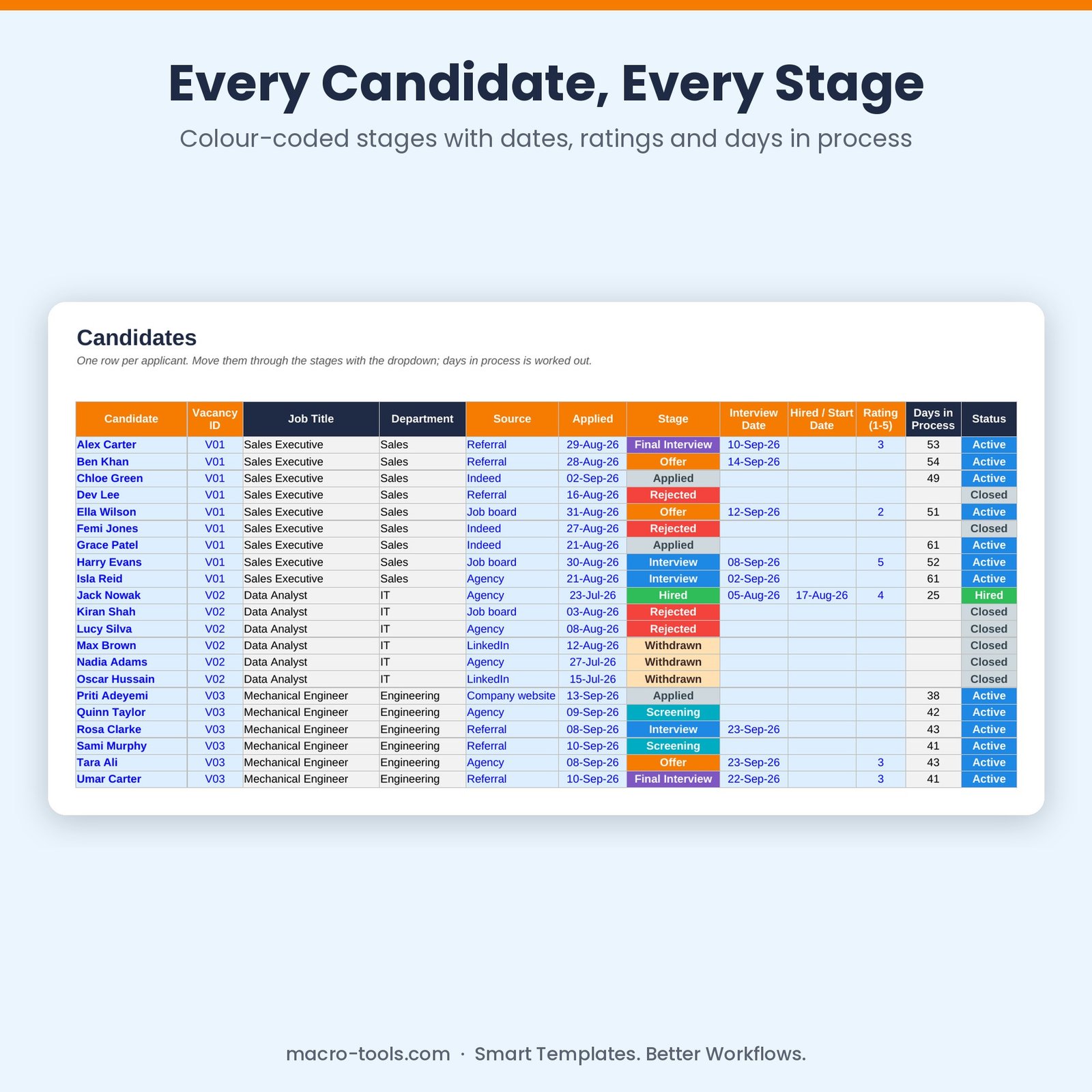
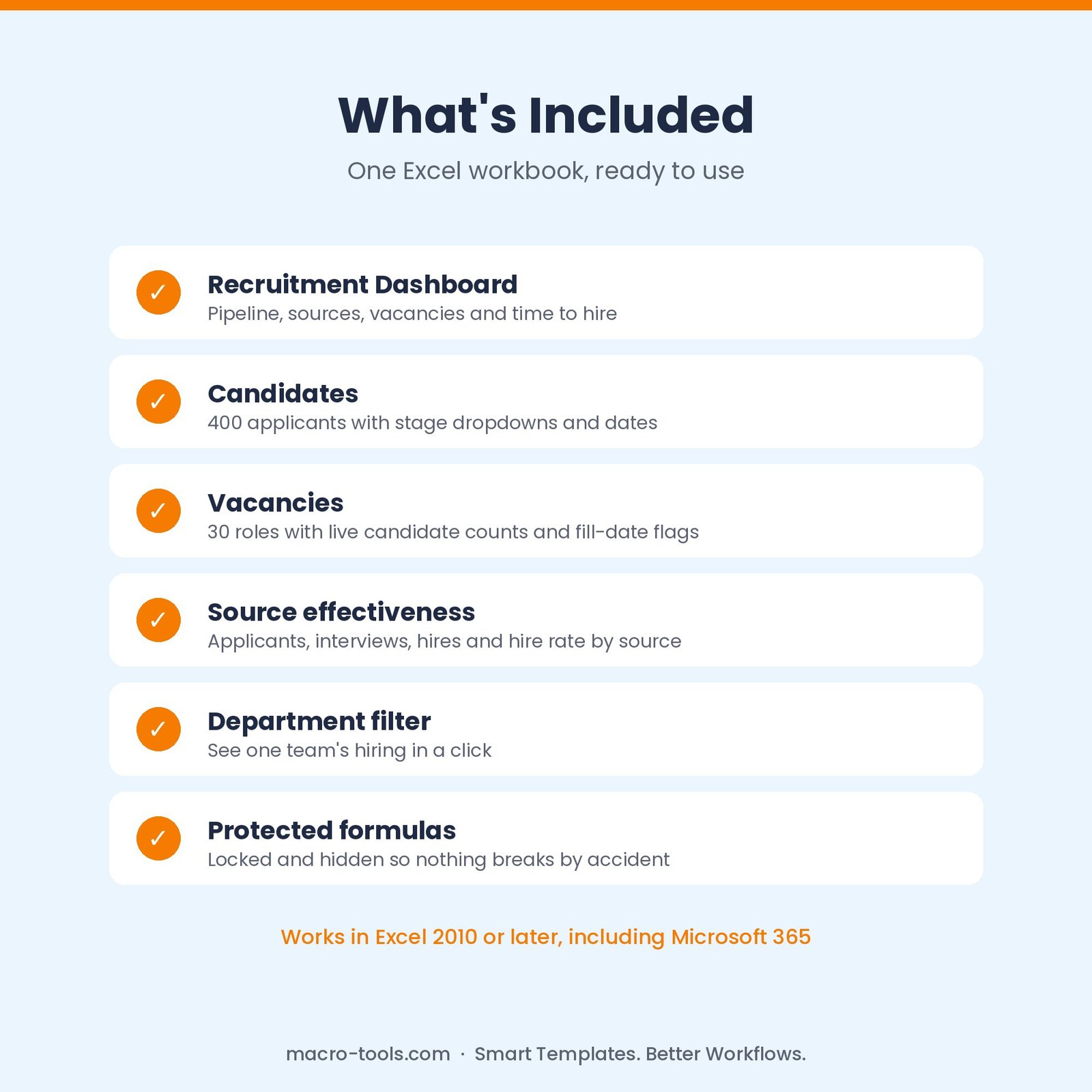
- Candidates log – 400 applicants with vacancy, source, applied date, stage, interview and start dates, rating and notes
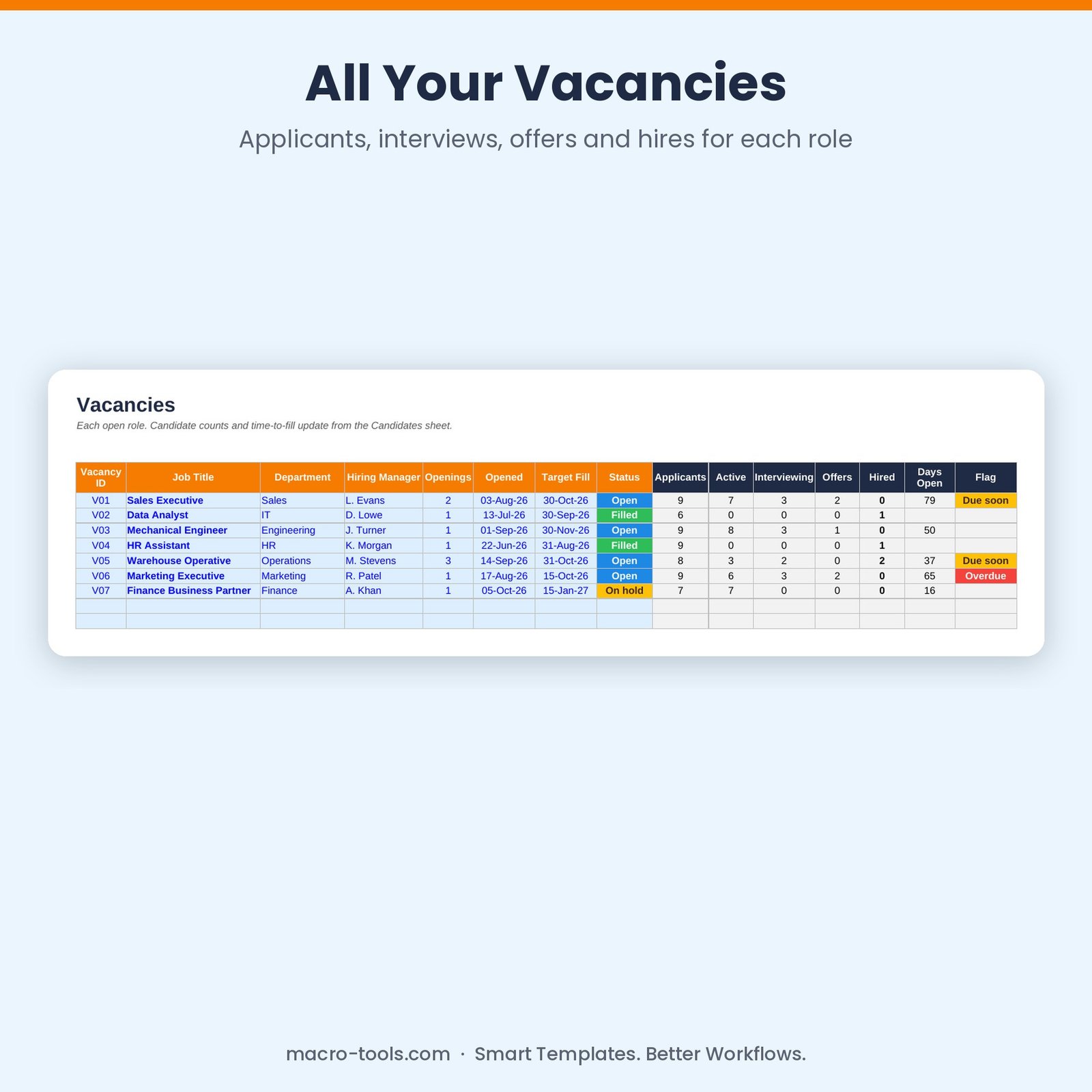
- Vacancies – 30 roles with openings, target fill date, status and live applicant / interview / offer / hire counts
- Pipeline by stage – how many candidates sit at each stage, colour-coded
- Source effectiveness – applicants, interviews, hires and hire rate for each source
- Time to hire – days in process for every candidate and average days to hire
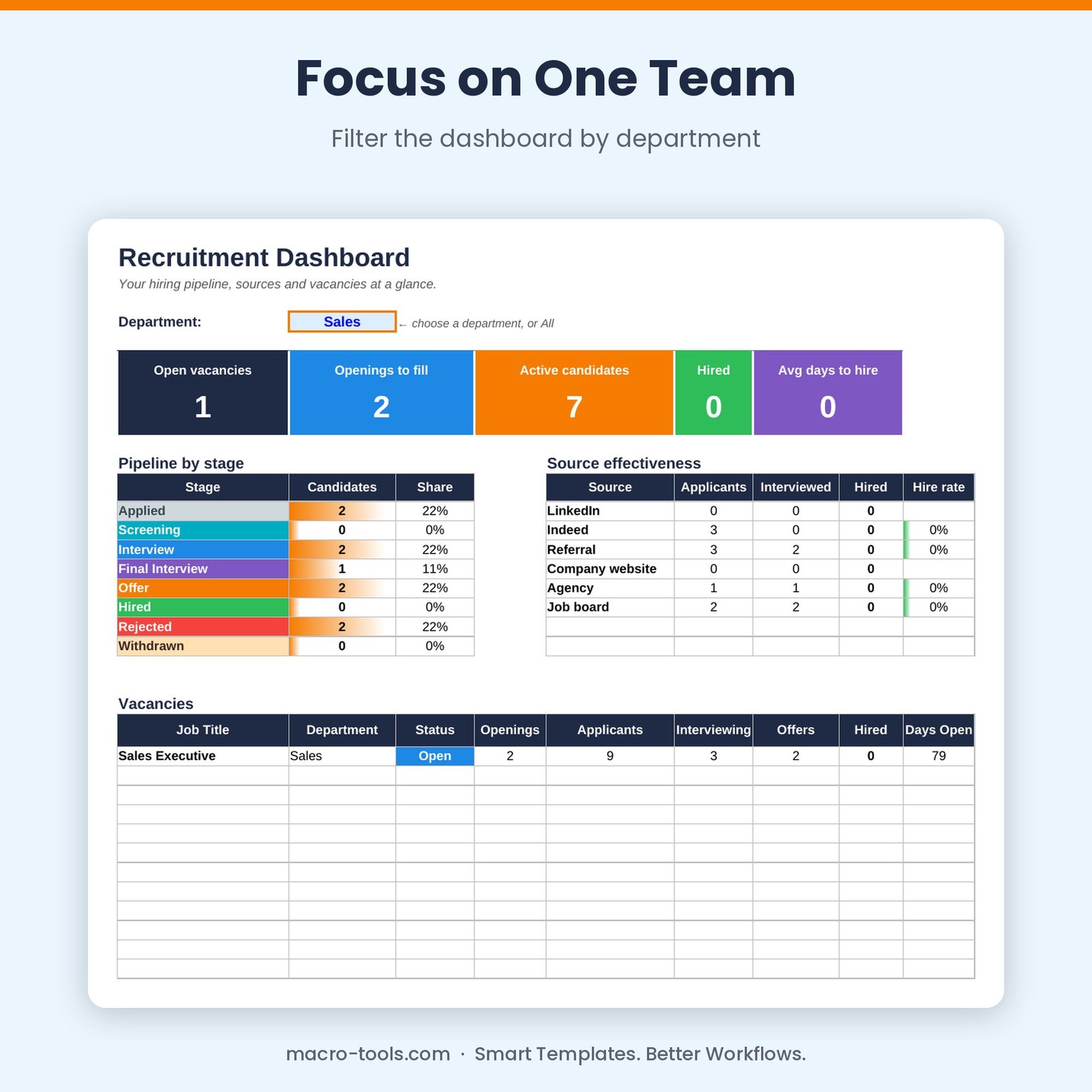
- Department filter – see one team’s hiring in a click
- Protected formulas – calculations are locked and hidden so nothing breaks by accident
Who it’s for
Hiring managers, HR and recruitment teams, and small business owners who want an organised hiring process without paying for an ATS.
What’s included
- 1 Excel workbook (.xlsx): How to Use, Dashboard, Vacancies, Candidates and Settings
- Built-in How to Use guide and sample data you can clear in one step
Requirements
Microsoft Excel 2010 or later, including Excel 2019, 2021 and Microsoft 365 (Windows or Mac). Not designed for Google Sheets.
This is a digital download. No physical item will be shipped. Your file is available to download immediately after purchase.
Reviews
There are no reviews yet.