
Description
See it in action
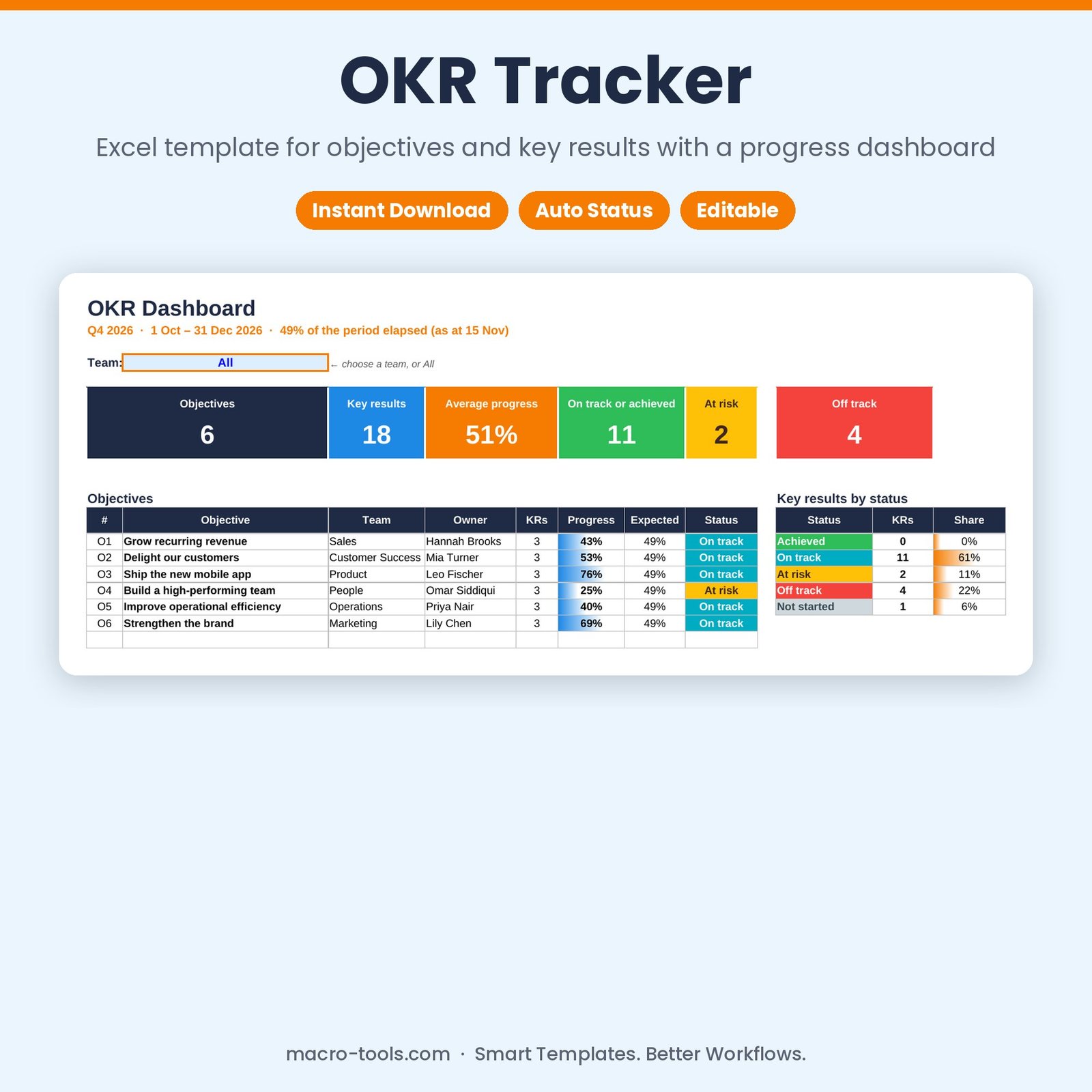
Make your OKRs measurable and visible. Write up to 20 objectives, add key results with a start value, target and direction (increase or decrease), and simply update the current value as you go. The OKR Tracker calculates progress for every key result and objective, compares it with how much of the period has passed, and shows what’s Achieved, On track, At risk or Off track on one dashboard.
What it does
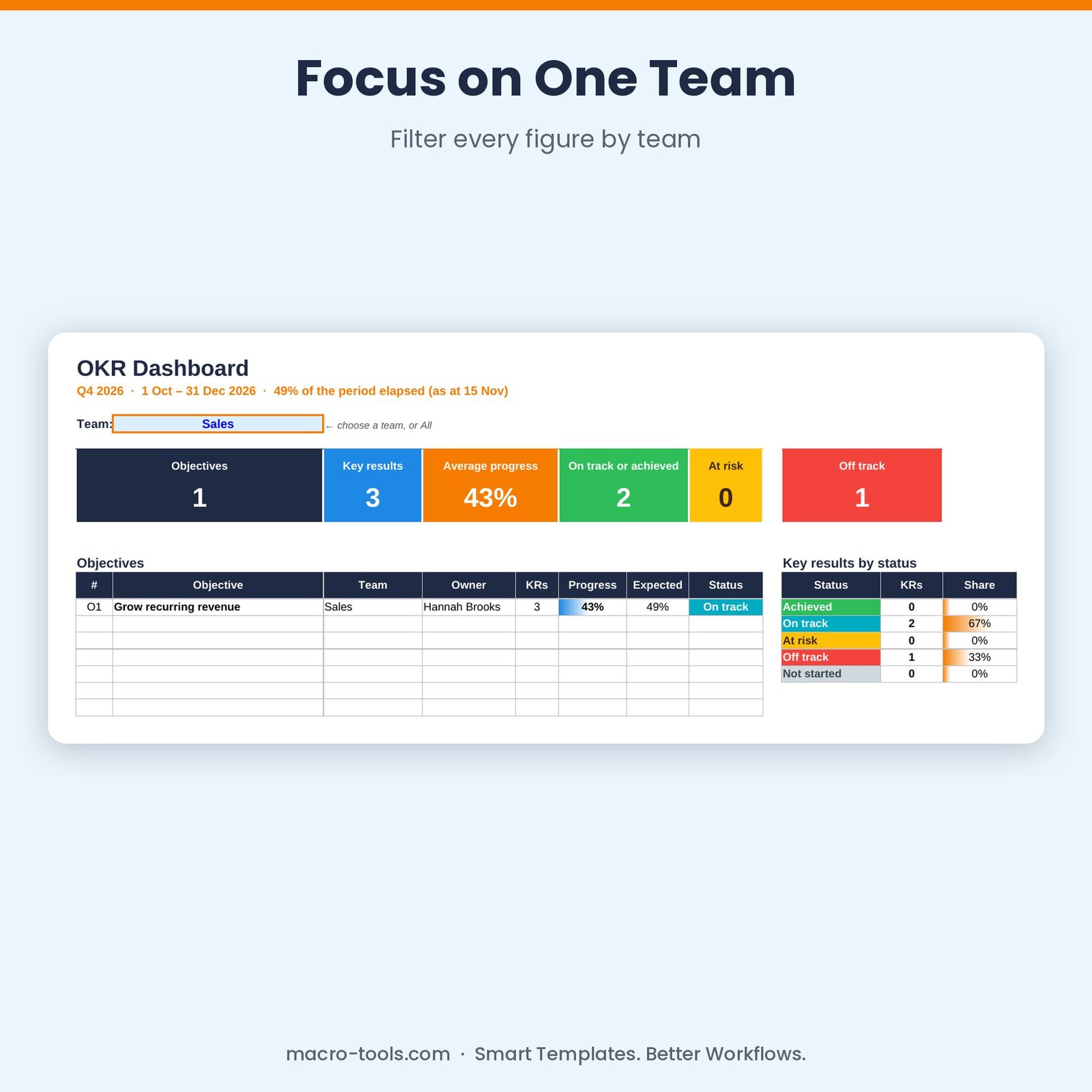
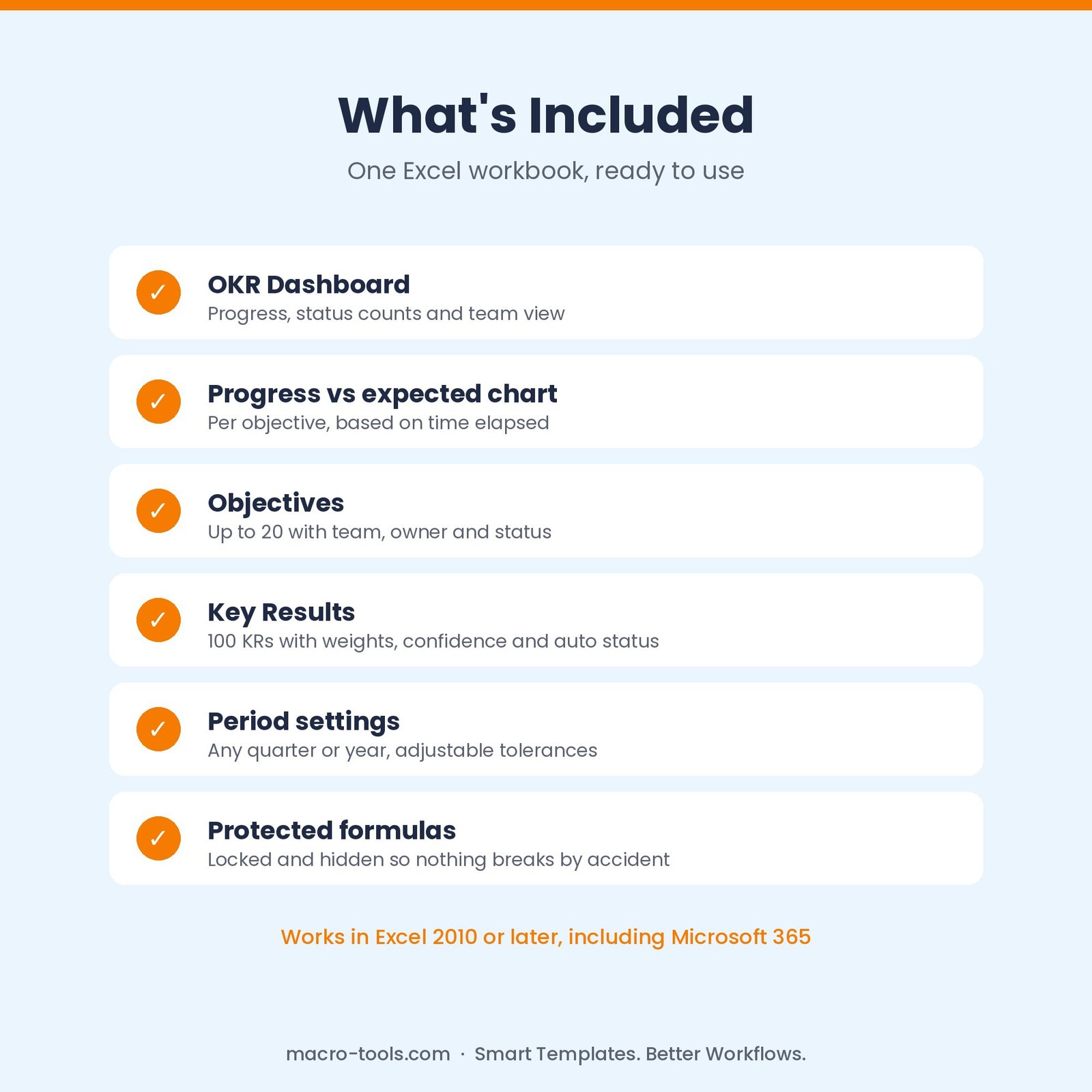
- OKR dashboard – objectives, key results, average progress and status counts, filterable by team
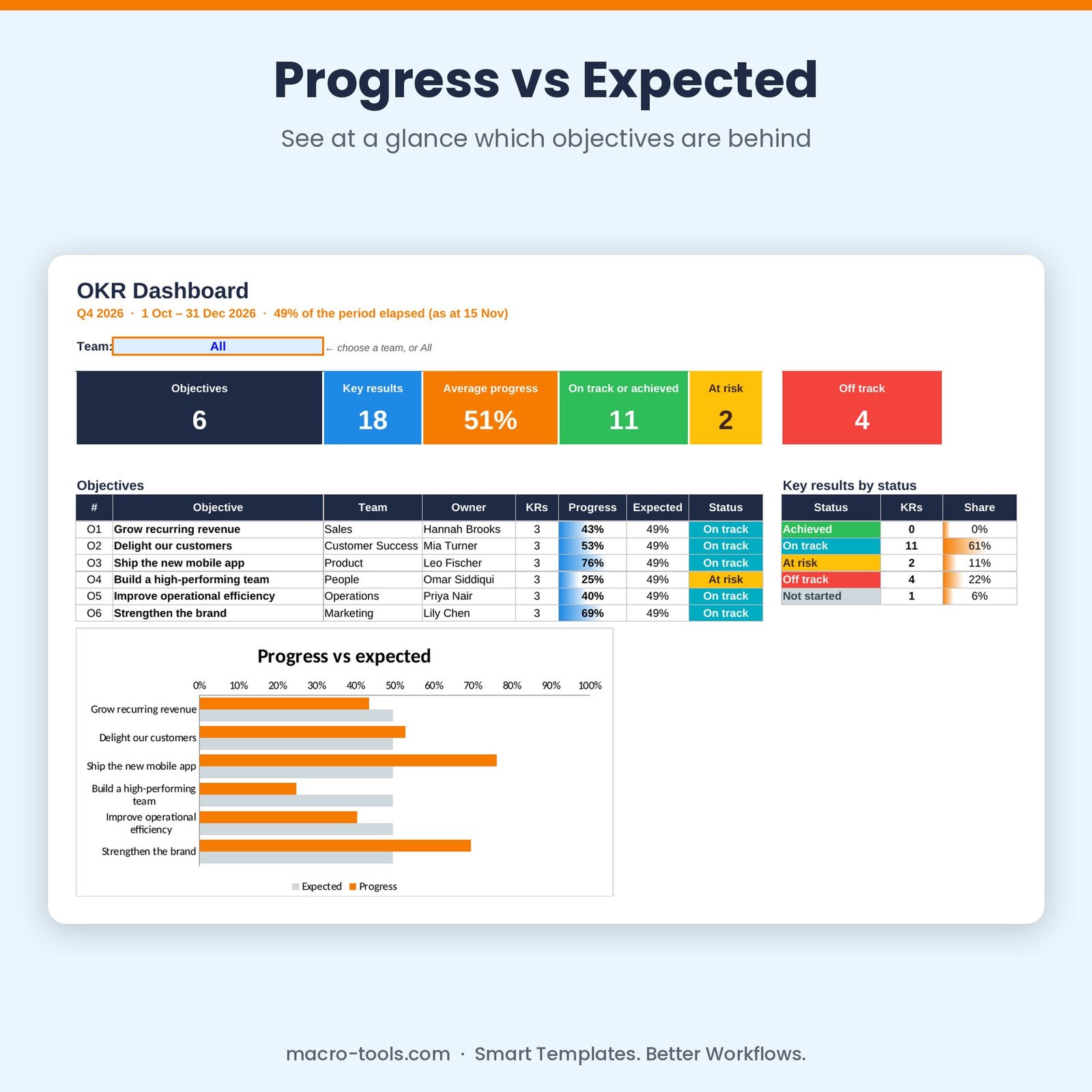
- Progress vs expected – every objective’s progress against time elapsed in the period, with a chart
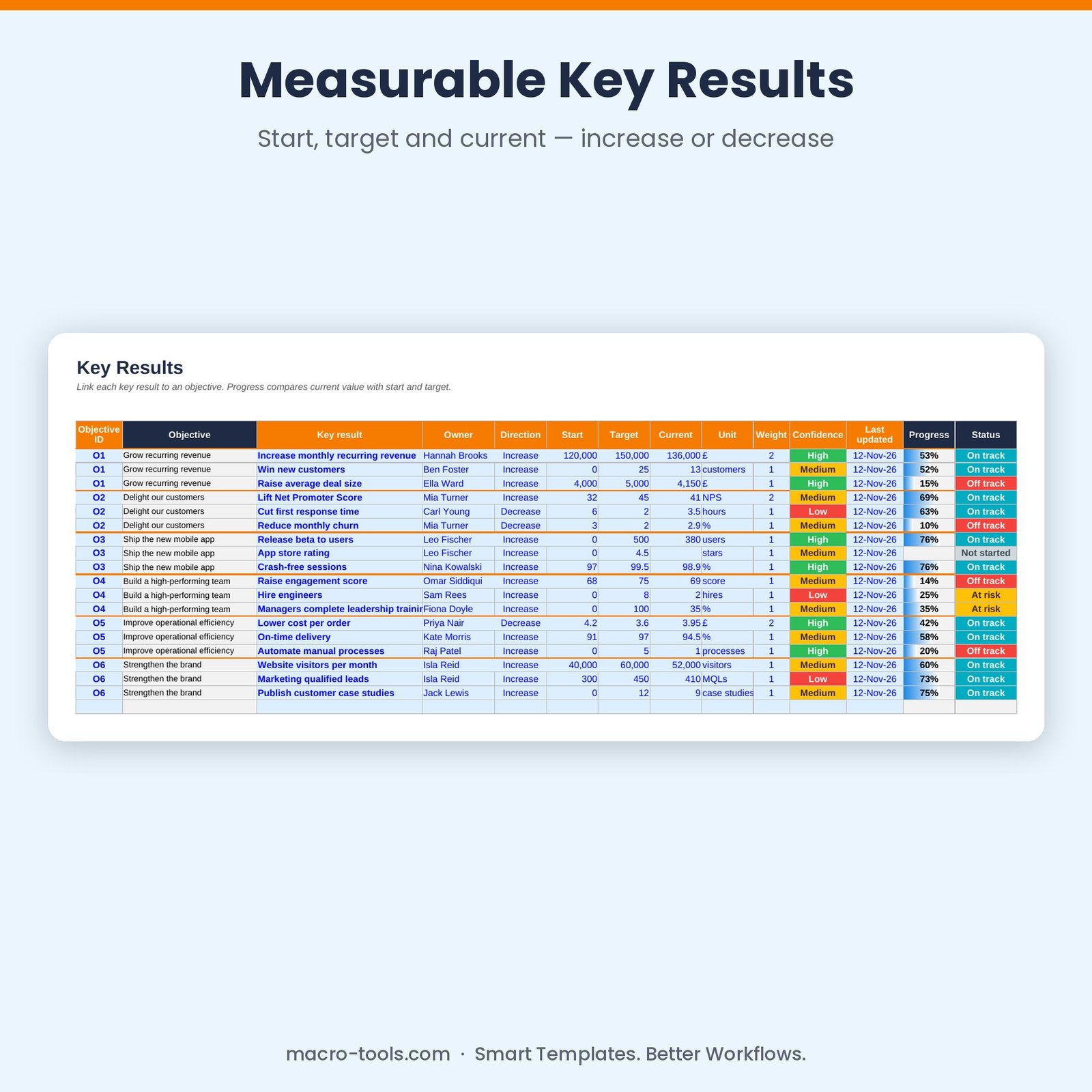
- Key results – increase or decrease metrics, any unit, weights, confidence and last-updated date
- Automatic status – Achieved, On track, At risk, Off track or Not started using tolerances you control
- Weighted objective progress – objectives roll up their key results by weight
- Any period – quarterly, half-year or annual — set the start, end and report date
- Protected formulas – calculations are locked and hidden so nothing breaks by accident
Who it’s for
Leadership teams, team leads, startups and project teams setting and reviewing quarterly or annual goals.
What’s included
- 1 Excel workbook (.xlsx): How to Use, Dashboard, Objectives, Key Results and Settings
- 6 sample objectives with 18 key results across 6 teams
- Built-in How to Use guide and sample data you can clear in one step
Requirements
Microsoft Excel 2010 or later, including Excel 2019, 2021 and Microsoft 365 (Windows or Mac). Not designed for Google Sheets.
This is a digital download. No physical item will be shipped. Your file is available to download immediately after purchase.
Reviews
There are no reviews yet.