
Description
See it in action
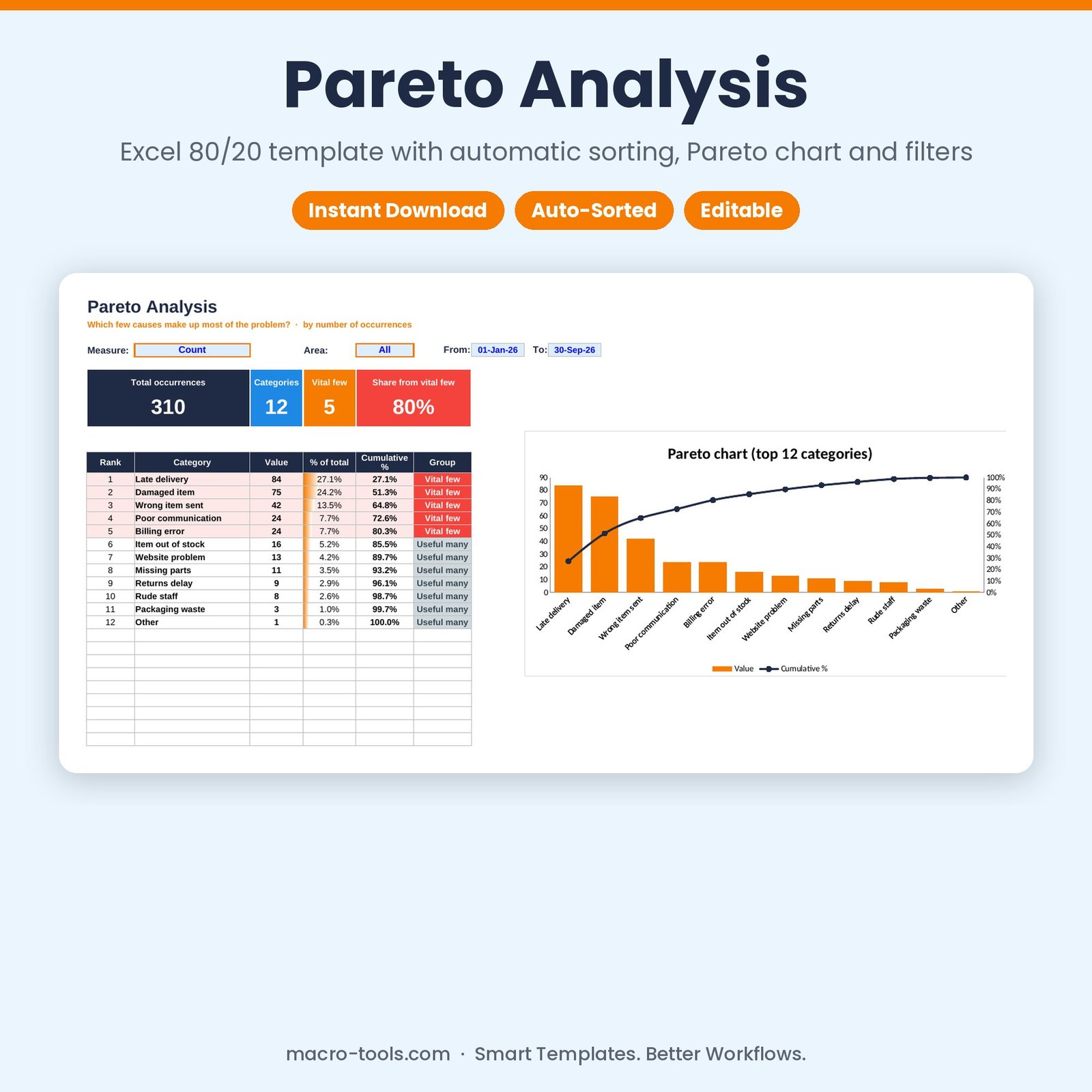
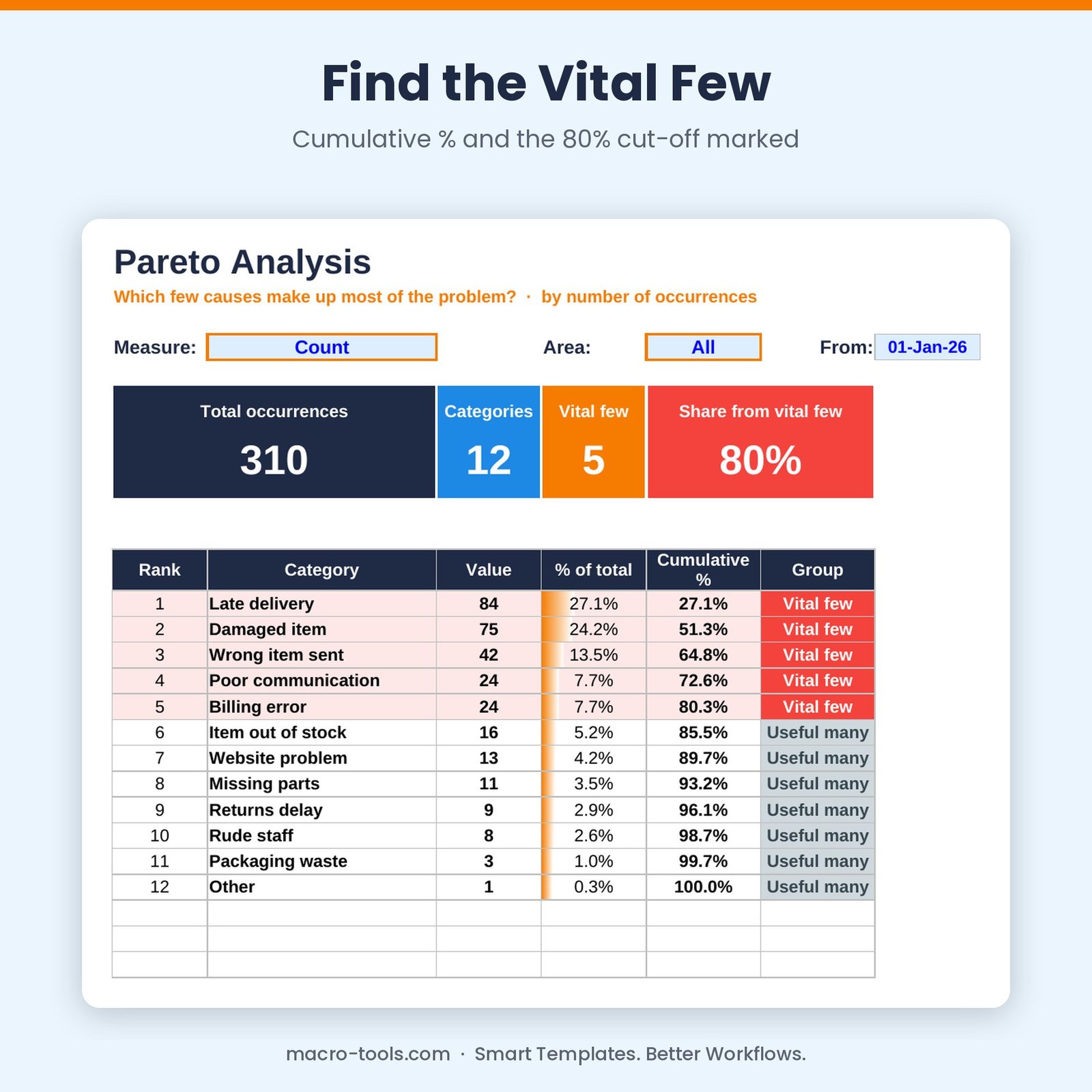
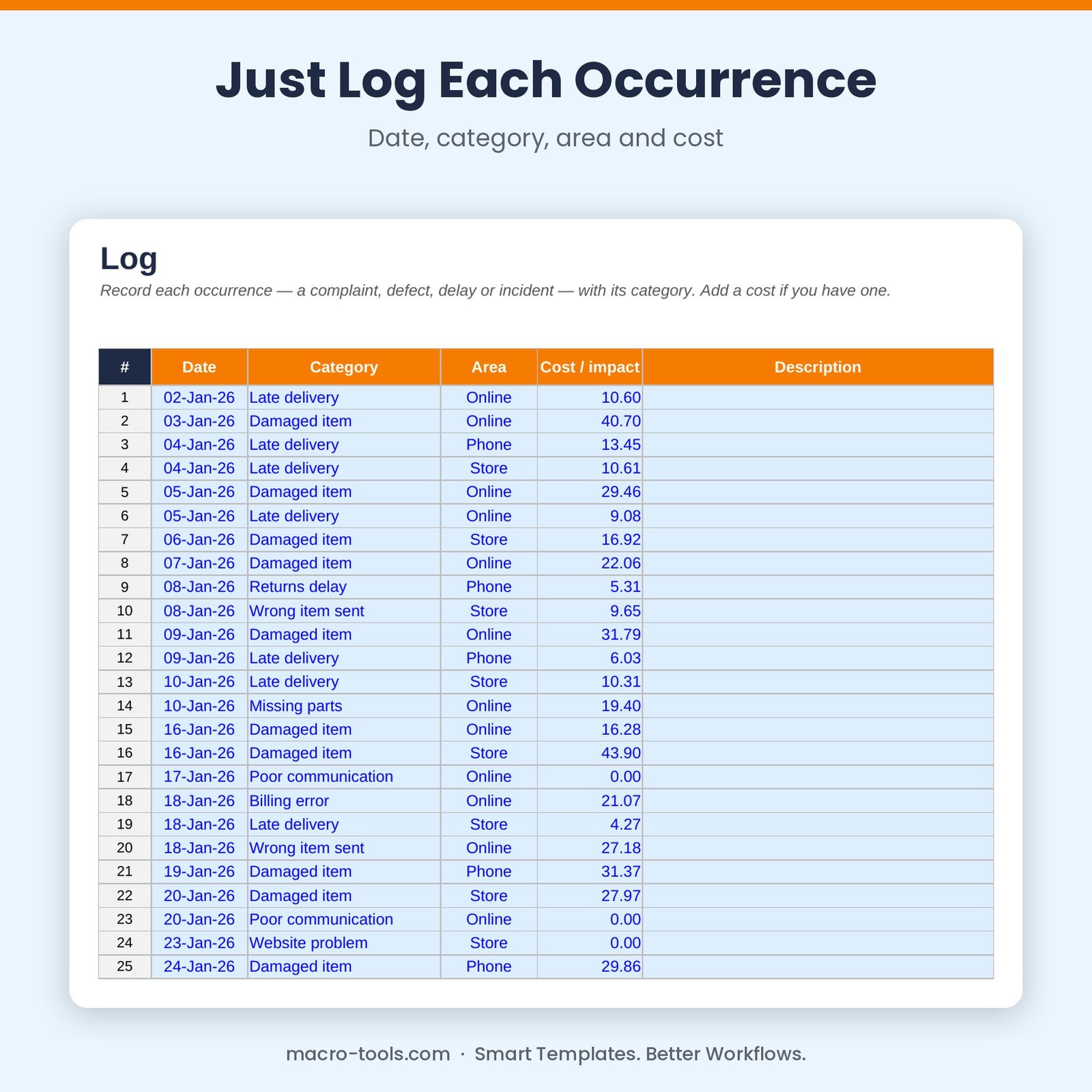
Focus your effort where it counts. Record each occurrence of a problem — a complaint, defect, delay, incident or return — with its category, date, area and cost. The Pareto Analysis counts and sorts every category from biggest to smallest, works out each one’s share and the cumulative %, draws the classic Pareto chart and highlights the ‘vital few’ that make up 80% of the total.
What it does
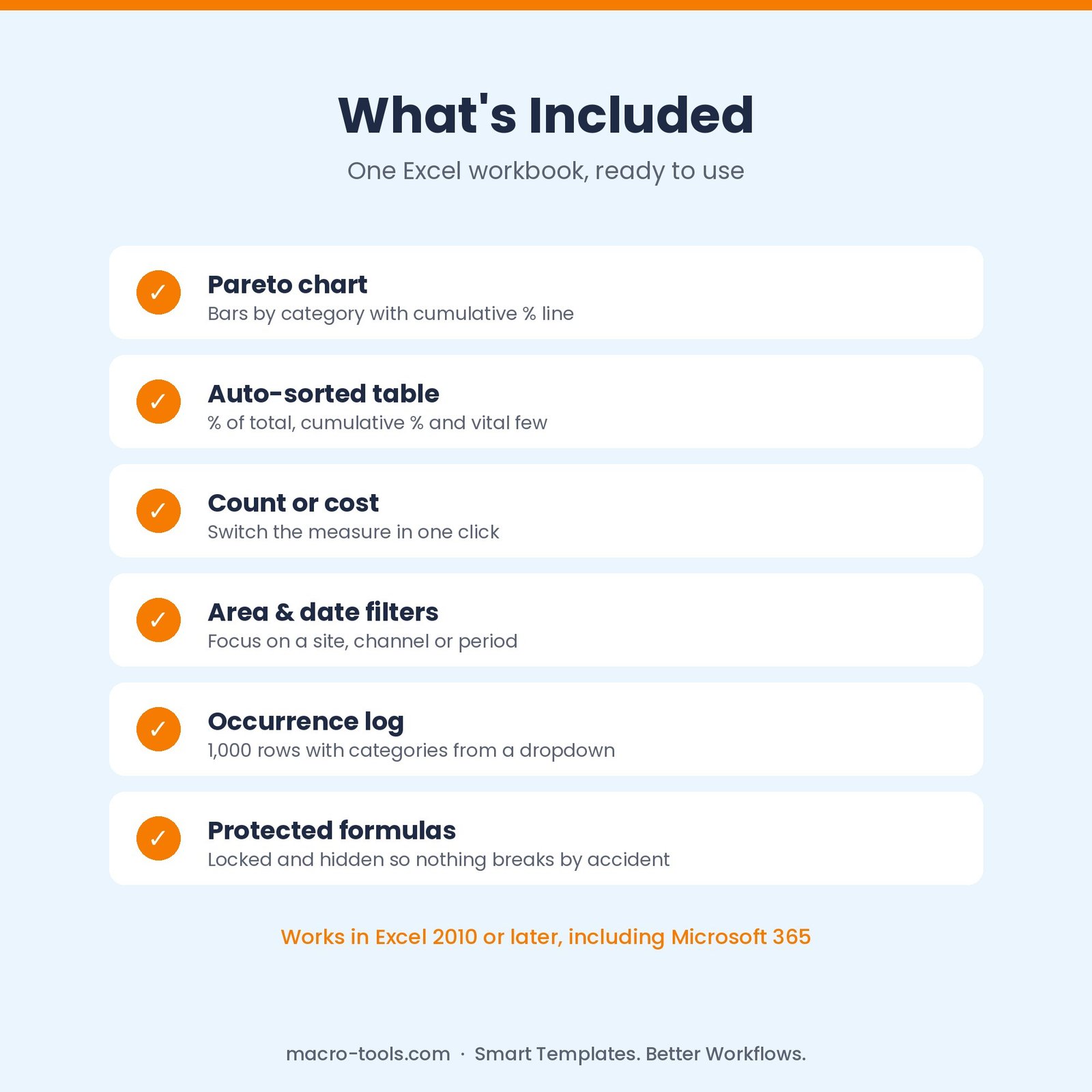
- Pareto chart – bars sorted largest first with a cumulative % line on a 0–100% axis
- Automatic sorting – no manual sorting or pivot tables — the table re-ranks itself as you add data
- Vital few – categories inside your cut-off (80% by default) highlighted to tackle first
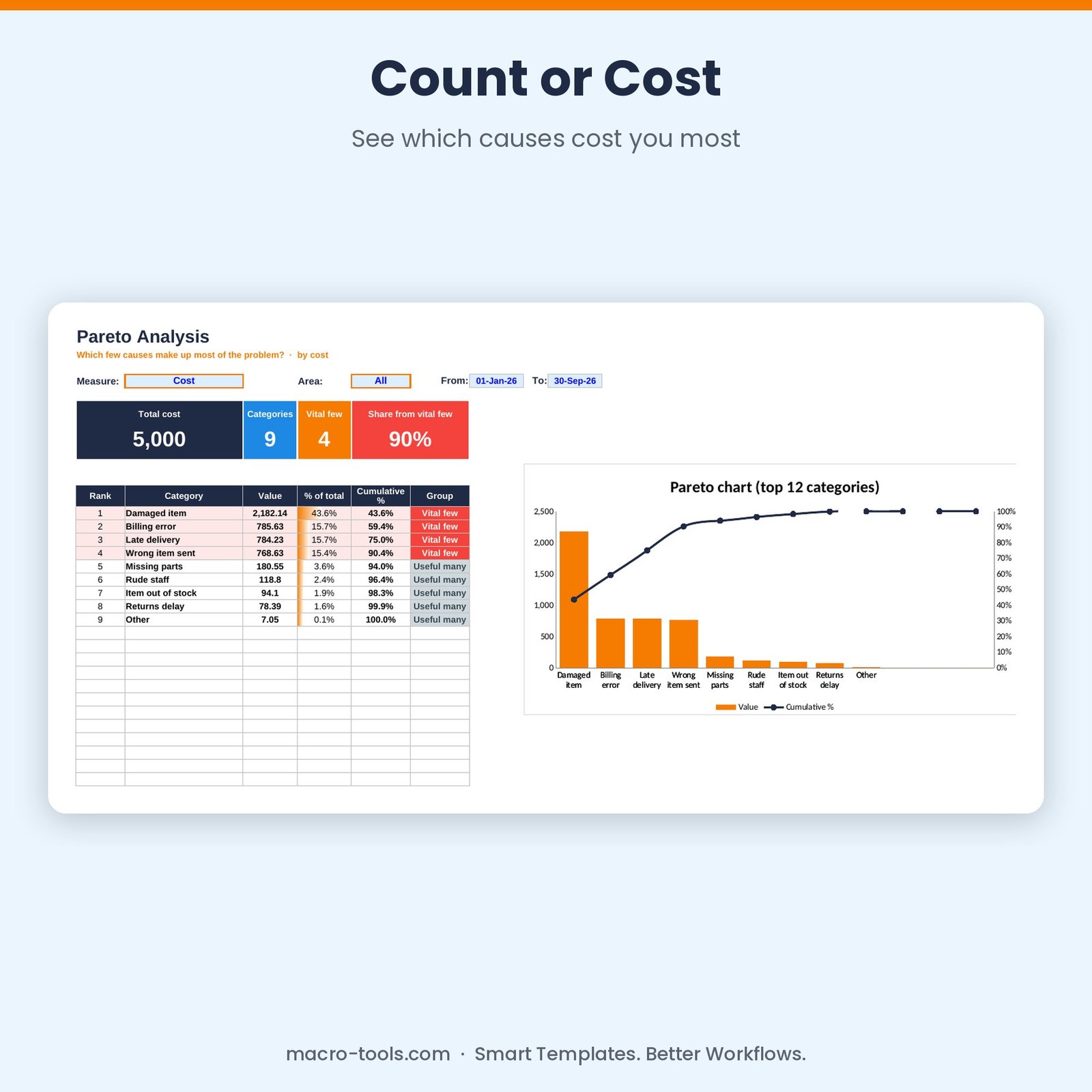
- Count or cost – switch between number of occurrences and total cost
- Filters – by area and by date range
- Occurrence log – 1,000 rows with category and area dropdowns
- Protected formulas – calculations are locked and hidden so nothing breaks by accident
Who it’s for
Quality managers, operations and customer service teams, Lean and Six Sigma practitioners, and anyone doing root-cause analysis.
What’s included
- 1 Excel workbook (.xlsx): How to Use, Pareto, Log and Categories
- 310 sample customer complaints across 12 categories
- Built-in How to Use guide and sample data you can clear in one step
Requirements
Microsoft Excel 2010 or later, including Excel 2019, 2021 and Microsoft 365 (Windows or Mac). Not designed for Google Sheets.
This is a digital download. No physical item will be shipped. Your file is available to download immediately after purchase.
Reviews
There are no reviews yet.