
Description
See it in action
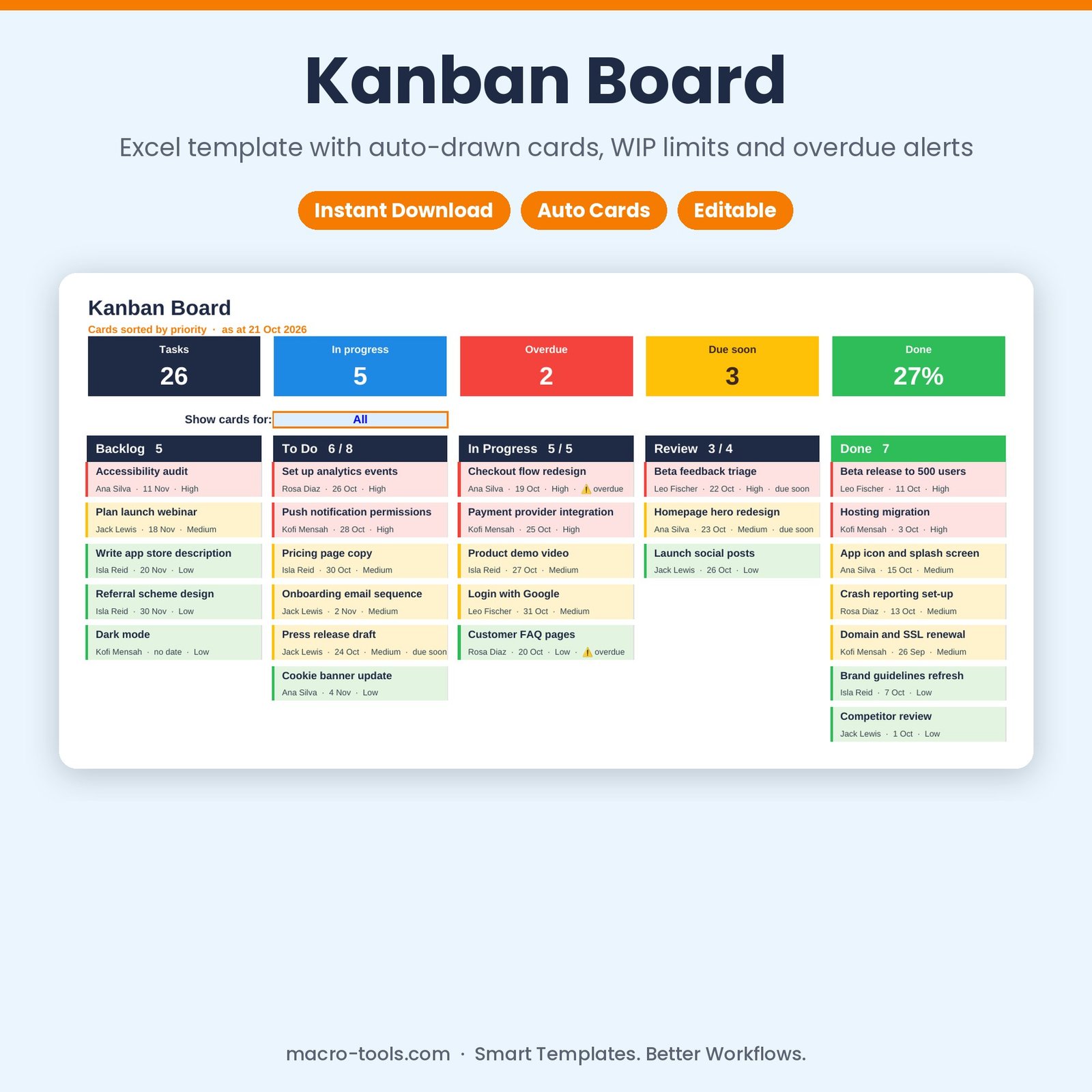
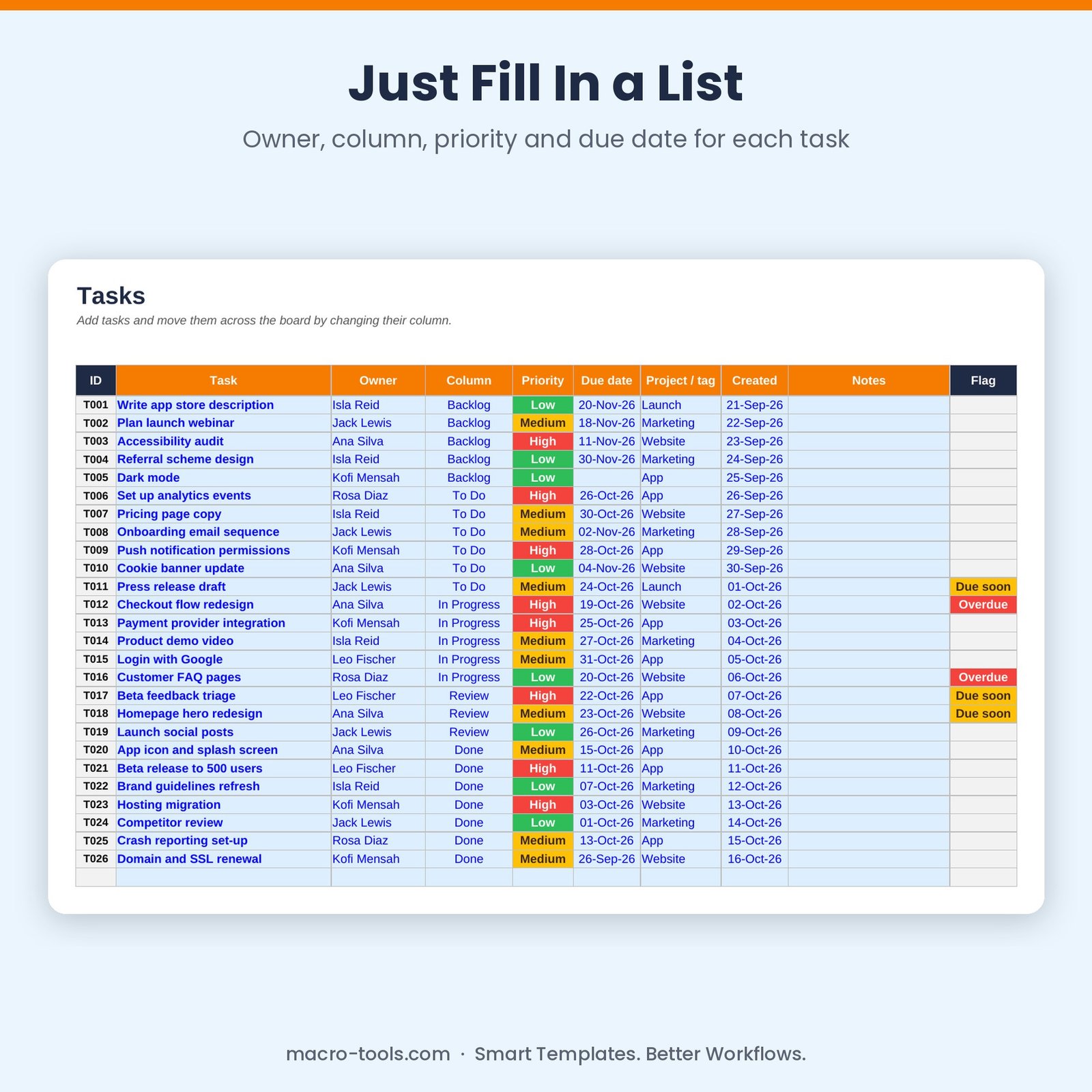
Get the visual clarity of a Kanban board without another app. List your tasks with an owner, priority and due date, and pick a column. The Kanban Board draws every card in the right column automatically — high priority first, colour-coded by priority, with owner and due date on each card. Move a card by changing its column; columns over their WIP limit turn red and overdue cards are flagged.
What it does
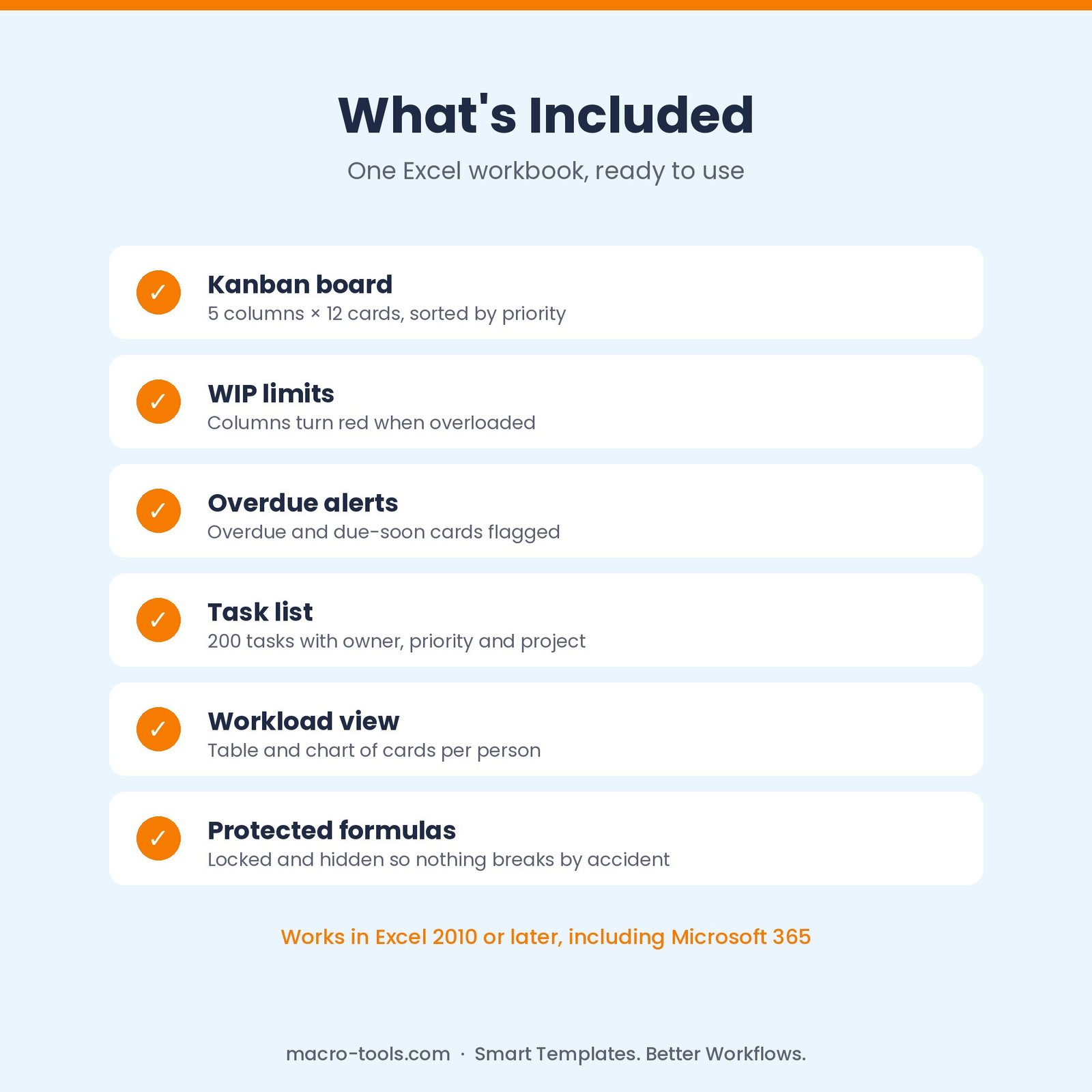
- Auto-drawn board – 5 columns of up to 12 cards each, sorted by priority
- Colour-coded cards – red, amber or green by priority, with owner, due date and overdue or due-soon warnings
- WIP limits – set a limit per column; overloaded columns turn red
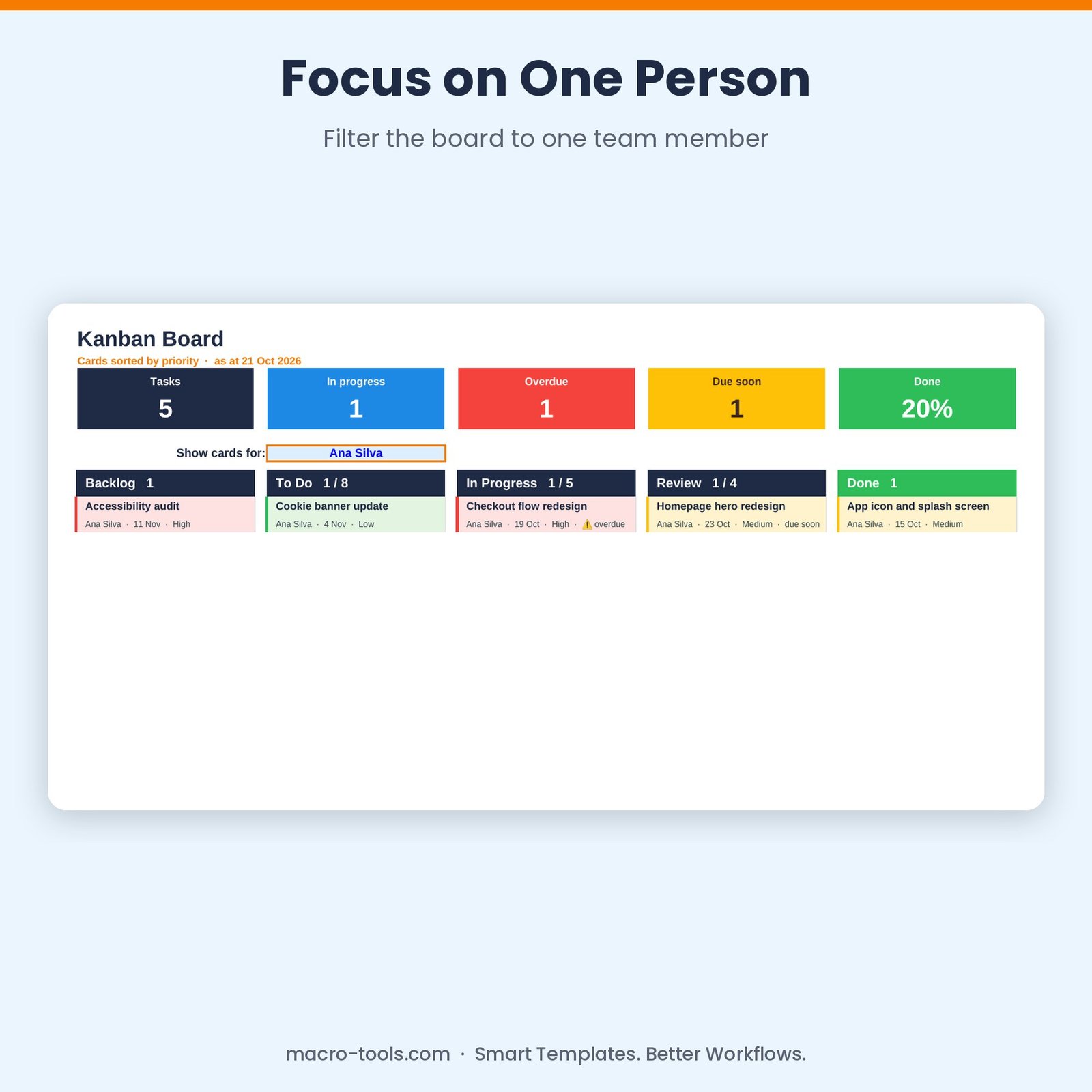
- Person filter – show just one team member’s cards
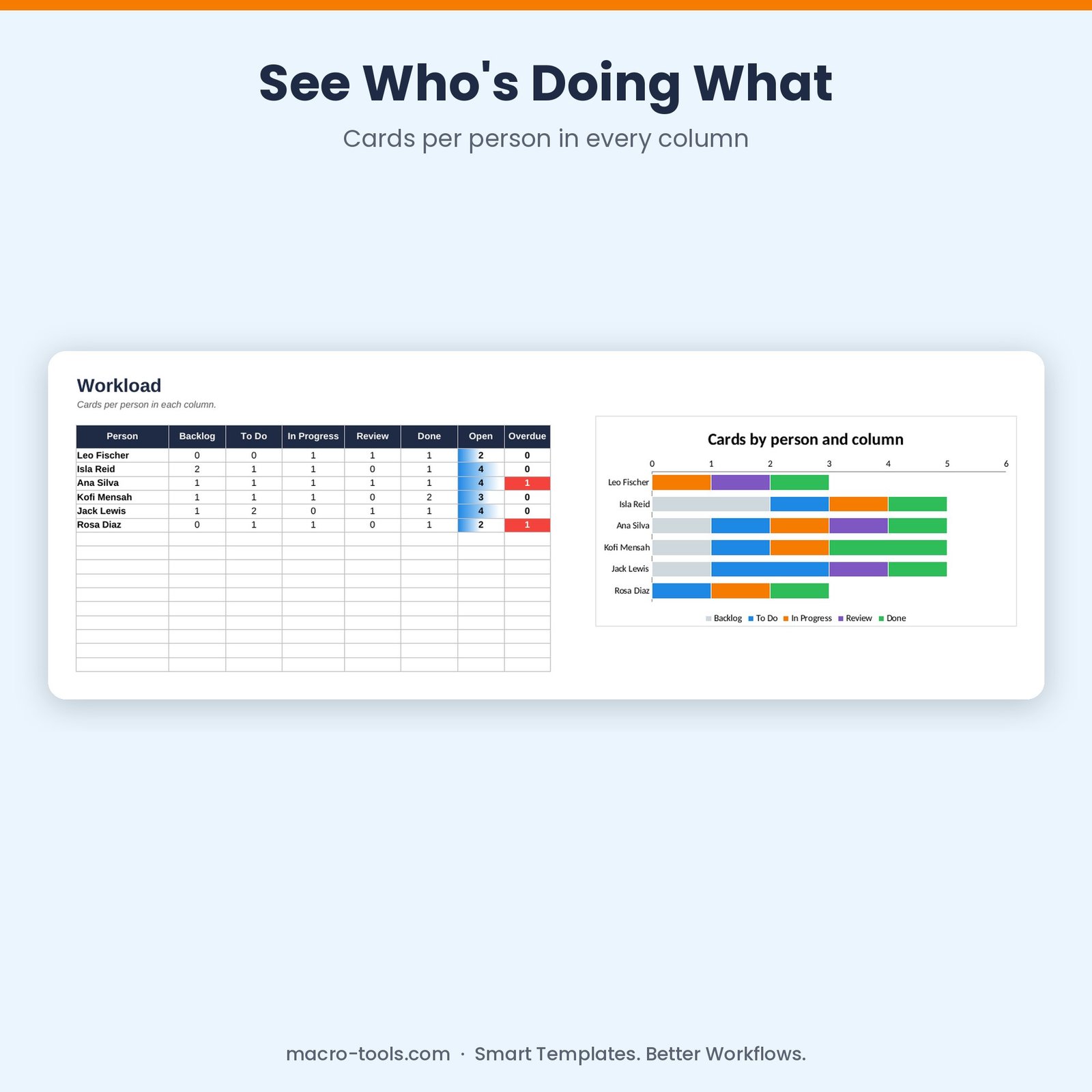
- Workload view – cards per person in each column, open and overdue counts, with a chart
- Your columns – rename Backlog, To Do, In Progress, Review and Done to suit your process
- Protected formulas – calculations are locked and hidden so nothing breaks by accident
Who it’s for
Agile and project teams, marketing teams, small businesses and freelancers managing work visually.
What’s included
- 1 Excel workbook (.xlsx): How to Use, Board, Workload, Tasks and Settings
- A sample product launch board with 26 tasks
- Built-in How to Use guide and sample data you can clear in one step
Requirements
Microsoft Excel 2010 or later, including Excel 2019, 2021 and Microsoft 365 (Windows or Mac). Not designed for Google Sheets.
This is a digital download. No physical item will be shipped. Your file is available to download immediately after purchase.
Reviews
There are no reviews yet.