
Description
See it in action
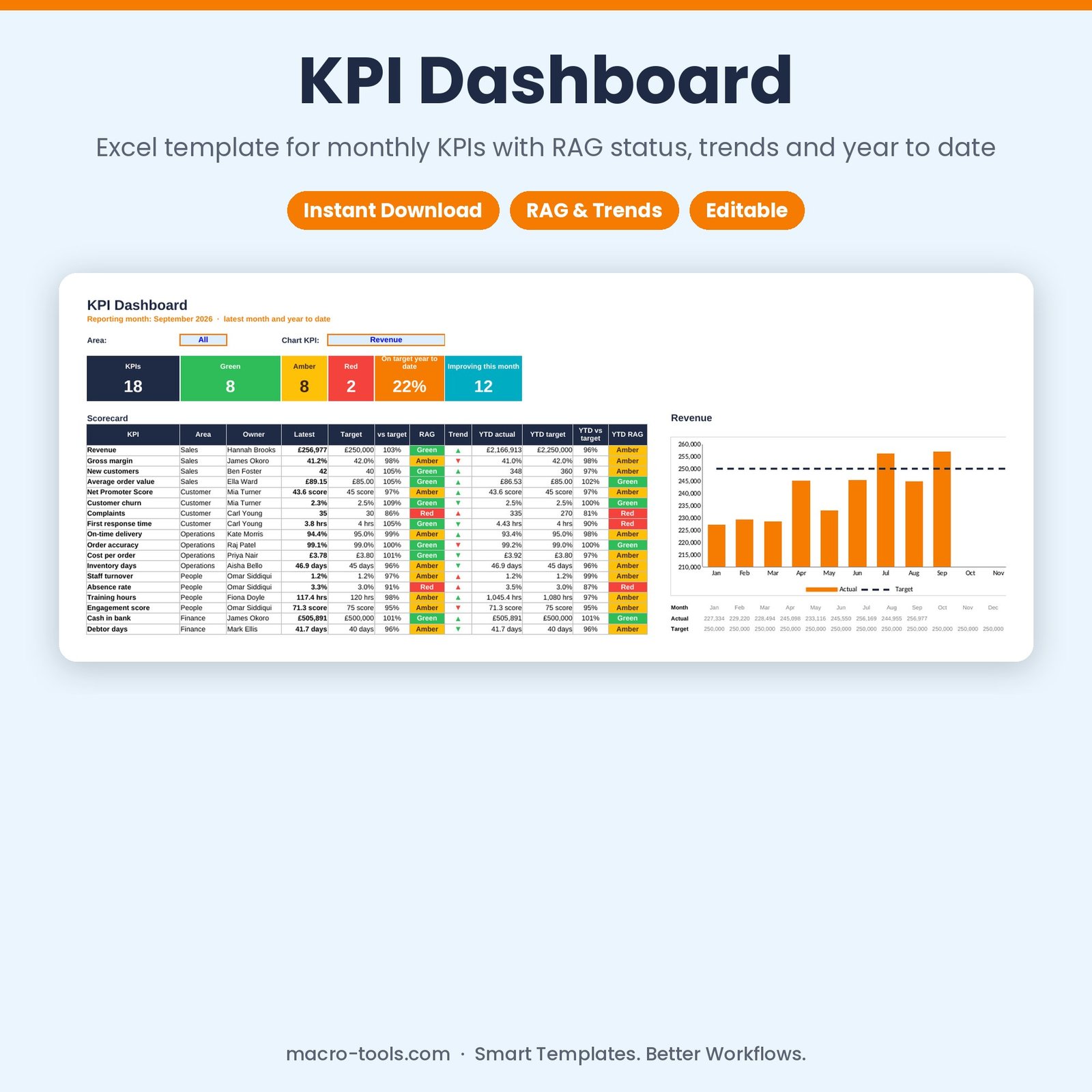
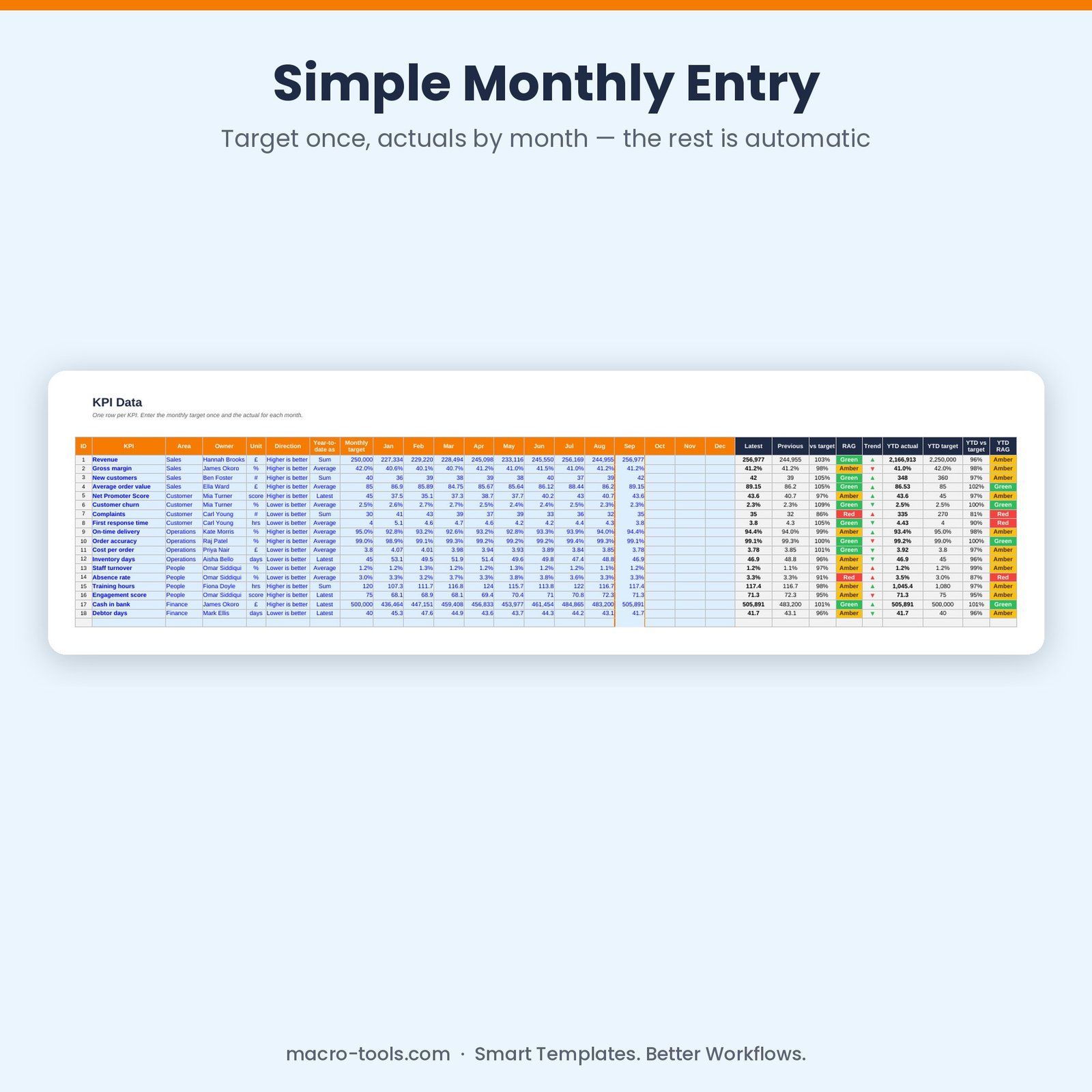
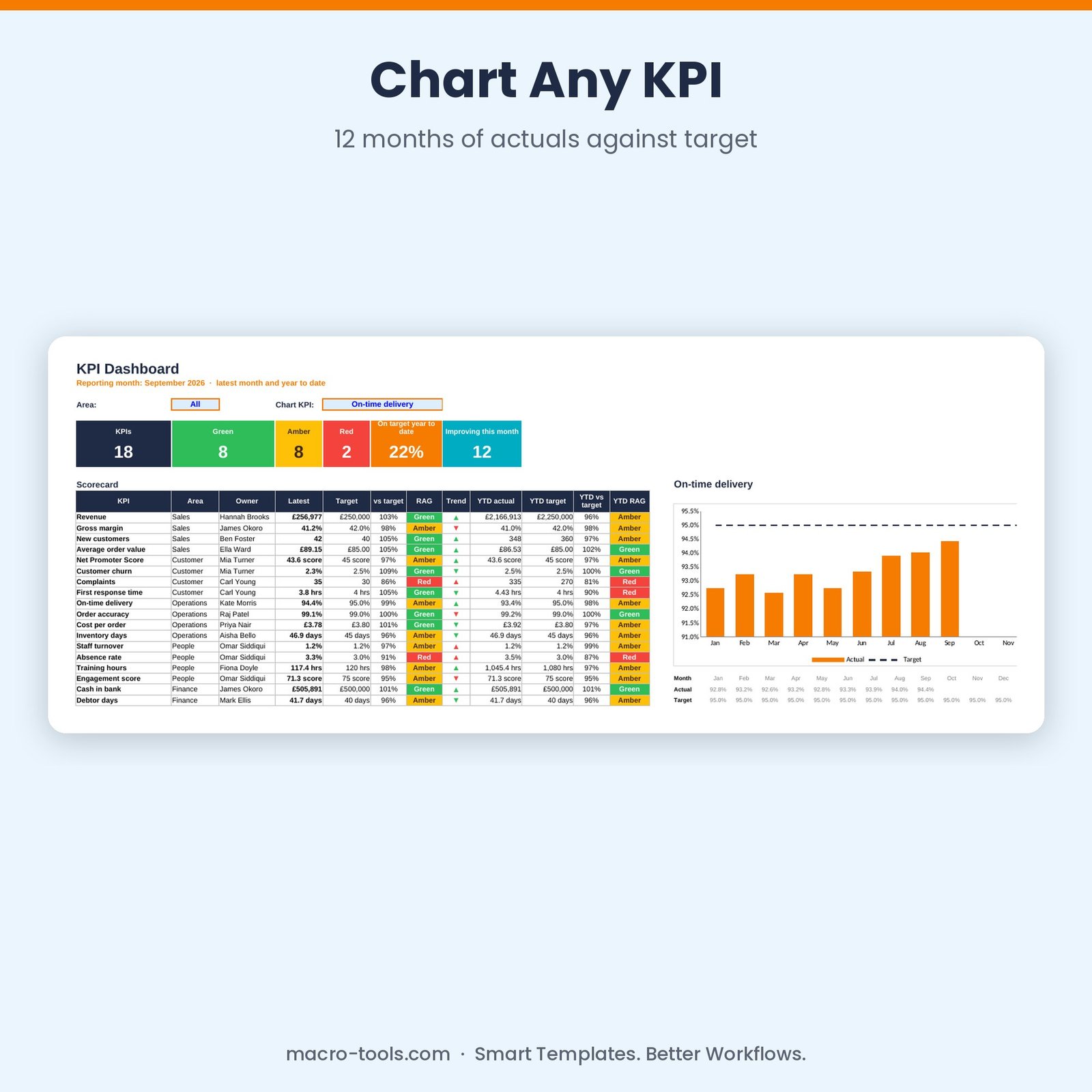
See how the business is performing in one glance. List your KPIs with a unit, an owner, a monthly target and whether higher or lower is better, then enter each month’s actual. The KPI Dashboard rates every KPI Green, Amber or Red, shows whether it’s improving, works out the year to date your way, and charts any KPI over the year against its target.
What it does
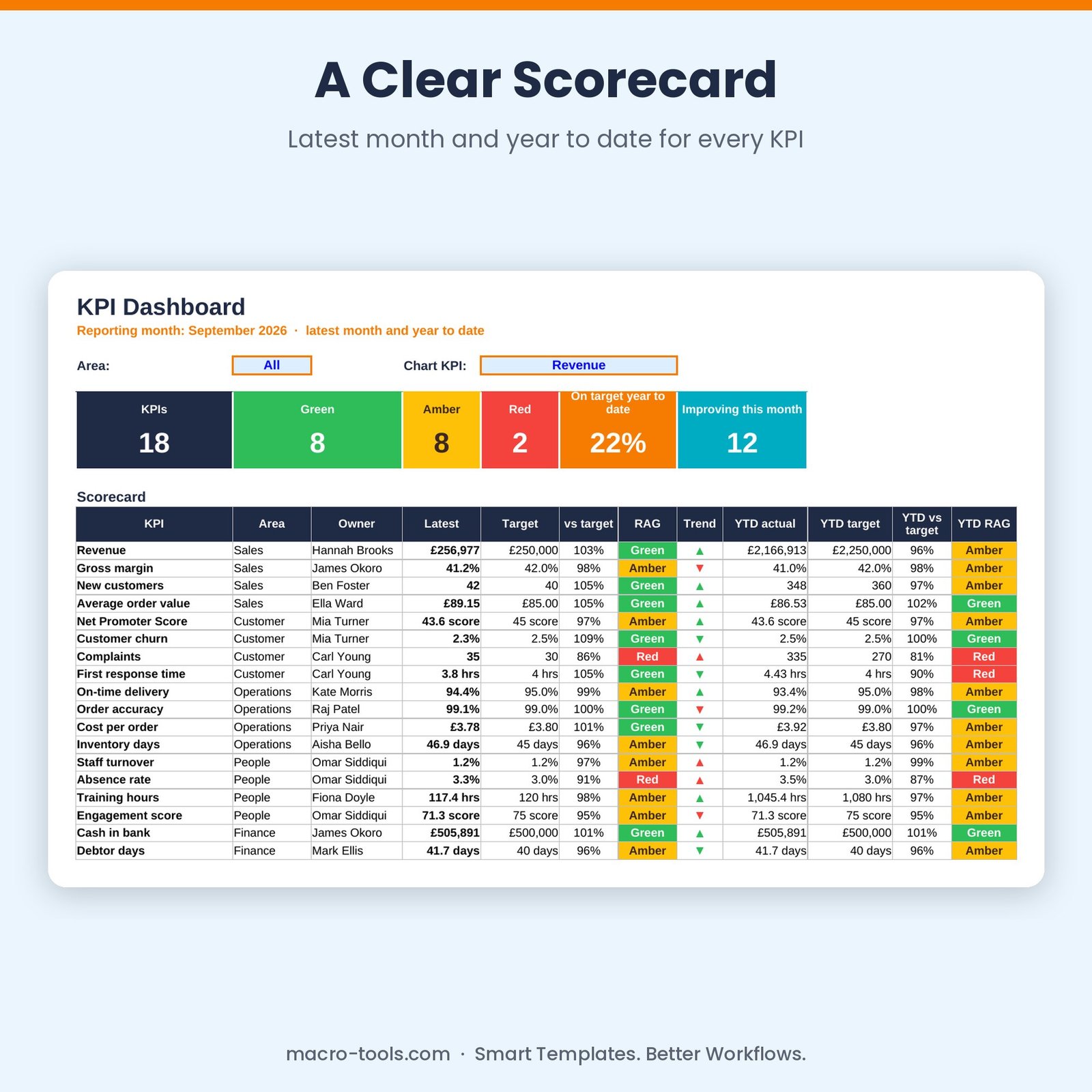
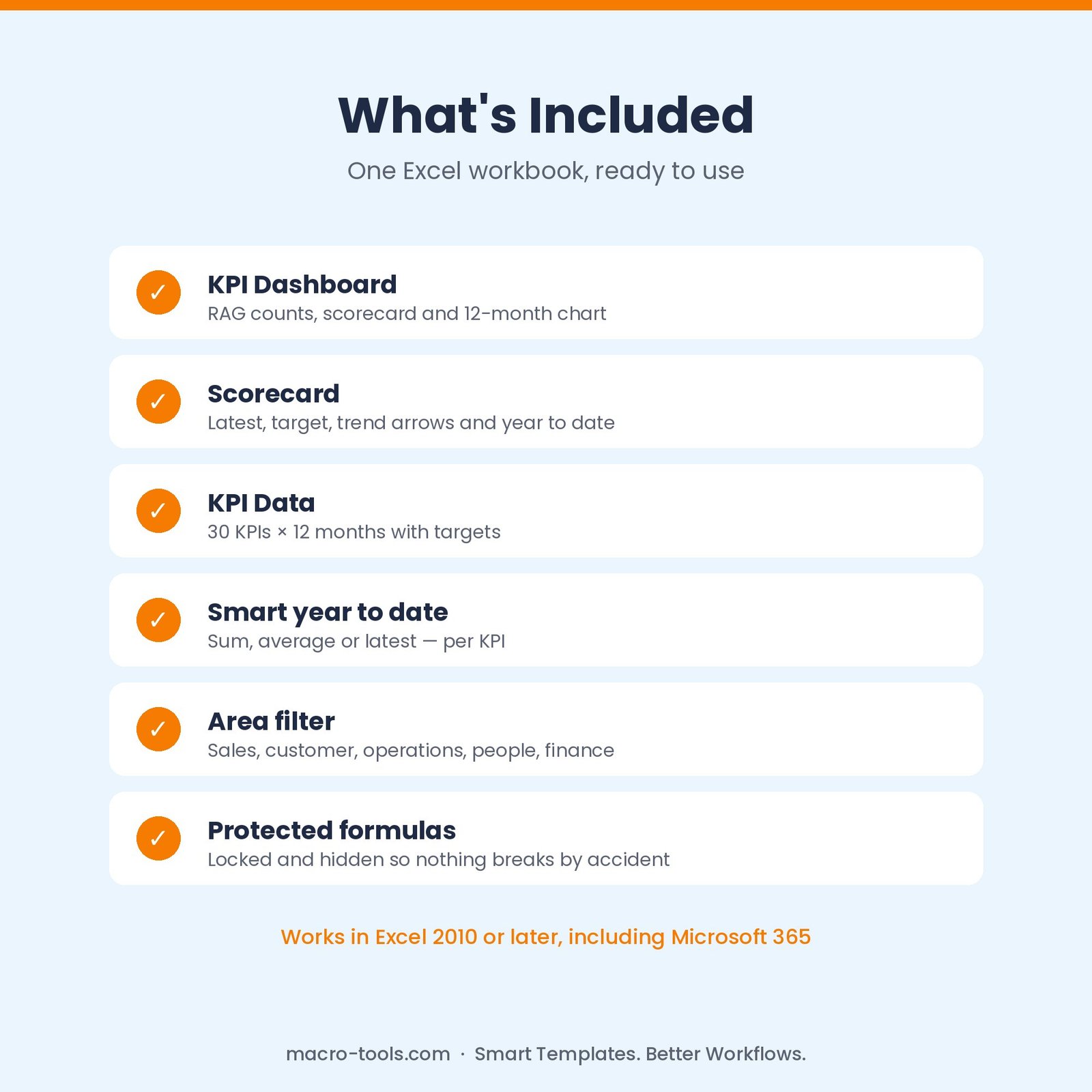
- Scorecard – latest month, target, % of target, RAG, trend arrow and year-to-date result for every KPI
- RAG status – for the latest month and the year to date, with an amber tolerance you set
- Higher or lower is better – targets work correctly for revenue, costs, churn, response times and more
- Smart year to date – choose Sum, Average or Latest for each KPI
- 12-month chart – pick any KPI to see its actuals by month against target
- Area filter – focus the scorecard on Sales, Customer, Operations, People, Finance or your own areas
- Protected formulas – calculations are locked and hidden so nothing breaks by accident
Who it’s for
Business owners, managers, leadership teams and analysts preparing monthly performance reports or board packs.
What’s included
- 1 Excel workbook (.xlsx): How to Use, Dashboard, KPI Data and Settings
- 18 sample KPIs across 5 areas with 9 months of data
- Built-in How to Use guide and sample data you can clear in one step
Requirements
Microsoft Excel 2010 or later, including Excel 2019, 2021 and Microsoft 365 (Windows or Mac). Not designed for Google Sheets.
This is a digital download. No physical item will be shipped. Your file is available to download immediately after purchase.
Reviews
There are no reviews yet.